
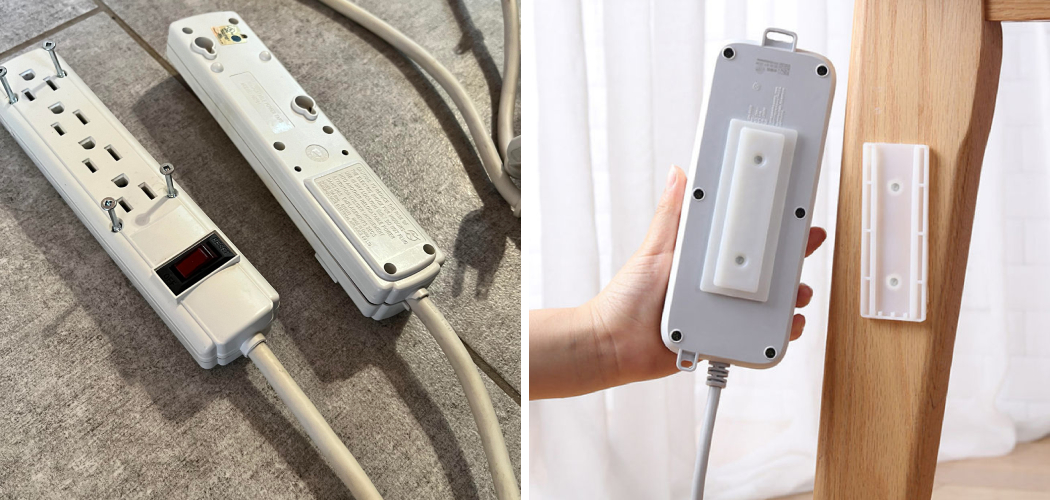
Look behind your desk right now. Chances are, there’s a tangle of black cables piled on the floor. A power strip sits in the middle of it all, collecting dust, catching your foot, and daring you to trip.
You’ve kicked it a dozen times. Maybe you’ve unplugged your monitor by accident during a meeting. It’s a small annoyance that never quite goes away.
Here’s the fix: get that power strip off the floor and onto the wall.
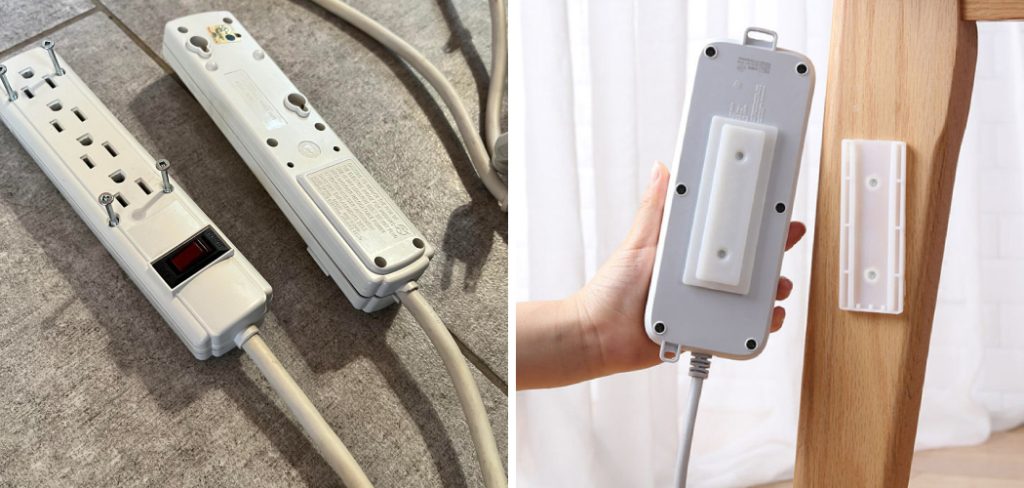
Mounting a power strip clears the clutter, protects the cords, and keeps everything within easy reach. It also cuts down on dust and water damage risk. Best of all, you can do it in about 20 minutes with basic tools.
In this guide, you’ll learn every way how to hang power strip on wall — from no-drill adhesive methods to solid screw mounts. We’ll cover the tools, the exact steps, the mistakes to dodge, and answers to the questions people ask most.
Let’s clean up that mess.
Why Mount a Power Strip on the Wall
A floor power strip is a problem waiting to happen.
Think about what sits on your floor. Dust settles into the outlets. A spilled drink runs straight toward it. A vacuum bumps it loose. Your foot catches the cord and yanks a plug free.
Each of those is a small risk. Together, they add up to real trouble — a tripped breaker, a damaged device, or worse, a fire hazard from dust buildup near live outlets.
A wall-mounted power strip solves all of it at once.
Here’s what you gain when you get it off the ground:
- Less clutter — cords run clean instead of piling in a heap
- Fewer trip hazards — nothing to catch your foot or the vacuum
- Better protection — outlets stay away from dust, spills, and pets
- Easier access — you can reach every plug without crawling under a desk
- Longer cable life — cords aren’t bent, crushed, or stepped on
There’s a safety angle too. Keeping a power strip elevated and ventilated lets heat escape, which matters when you’ve got several devices drawing power at once.
In short: mounting your power strip protects your devices, your space, and your peace of mind — all for 20 minutes of work.
What You’ll Need
Good news: you don’t need a workshop for this job. Most methods use tools you already have.
Gather these before you start:
- Your power strip — check the back for keyhole slots first
- A tape measure — for level, even placement
- A pencil — to mark your spots
- A level — a phone app works in a pinch
- A drill or screwdriver — for the screw-mount method
- Screws and wall anchors — sized to your wall type
- Mounting tape or adhesive strips — for the no-drill method
- A stud finder — helpful, not required
One thing to check before anything else: flip your power strip over.
Most modern strips have two keyhole slots molded into the back. These slots are built exactly for wall mounting. If yours has them, your job just got much easier — you’ll hang the strip on two screws like a picture frame.
No keyhole slots? No problem. You’ll use adhesive or a mounting bracket instead. We’ll cover both.
Different Ways to Mount a Power Strip on Wall
There’s no single right way to do this. The best method depends on your wall, your strip, and how permanent you want it.
Here’s how the three main methods stack up:
| Feature | Adhesive / Tape | Keyhole Screws | Mounting Bracket |
| Tools needed | None | Drill, screwdriver | Drill, screwdriver |
| Wall damage | None to minimal | Two small holes | Screw holes |
| Holds heavy loads? | Light only | Yes | Yes |
| Works on any strip? | Yes | Only with keyhole slots | Yes |
| Removable? | Easy | Moderate | Moderate |
| Best for | Renters, light strips, quick fixes | Most permanent installs | Strips without slots |
Let’s walk through each one.
Method 1: Screw Mount Using Keyhole Slots
This is the sturdiest way to mount a power strip on wall surfaces, and it’s the method the strip was designed for.
Follow these steps:
- Flip the strip over and find the two keyhole slots on the back.
- Measure the distance between the centers of both slots. Write it down.
- Hold the strip against the wall where you want it. Use your level to make sure it sits straight.
- Mark two dots on the wall matching your slot measurement.
- Check the marks with your level one more time before you drill.
- Drill your holes and insert wall anchors if you’re not hitting a stud.
- Drive in the screws, leaving about 1/8 inch of the head sticking out — enough for the slots to grab.
- Hang the strip by sliding both keyhole slots over the screw heads.
- Tug gently to confirm it’s locked in place.
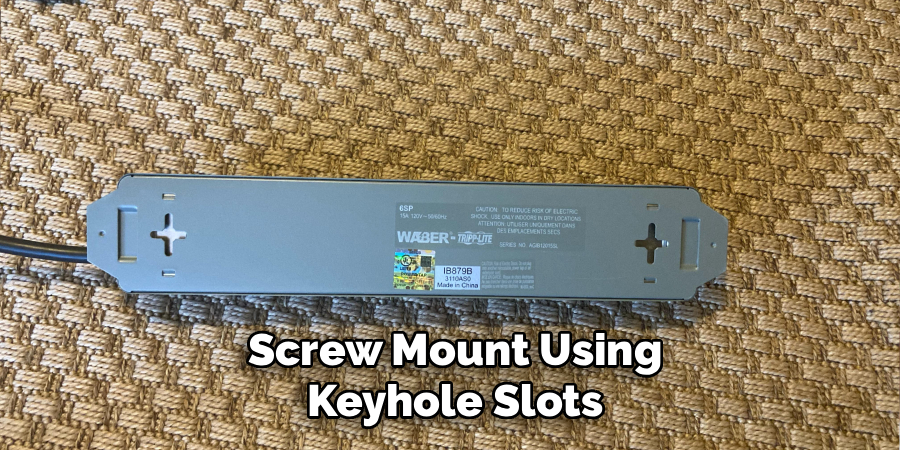
Warning: Leave the screw heads slightly proud of the wall. If you drive them flush, the keyhole slots won’t catch, and the strip will slide right off.
Method 2: Adhesive Strips (No-Drill)
Renting? Hate drilling? This method leaves your wall almost untouched.
Here’s how to hang a power strip on wall surfaces without a single hole:
- Clean the wall with rubbing alcohol and let it dry fully. Dust and grease kill adhesion.
- Clean the back of the strip the same way.
- Cut your mounting tape into strips that fit the flat back of the power strip.
- Peel and press the tape onto the back of the strip.
- Peel the outer layer, then press the strip firmly to the wall for 30 seconds.
- Wait at least an hour before plugging anything in, so the bond sets.
Warning: Adhesive works only for lightweight strips with light cable loads. Heavy cords pulling downward will peel the tape over time. When in doubt, use screws.
Method 3: Mounting Bracket or Cable Clips
Got a strip with no keyhole slots and no flat back for tape? A mounting bracket bridges the gap.
- Buy a bracket sized for your power strip, or use two sturdy cable clips.
- Position the bracket on the wall and mark the screw holes.
- Level your marks, then drill and anchor as needed.
- Screw the bracket firmly to the wall.
- Snap or slide the power strip into the bracket.
This method gives you the strength of screws with the flexibility to remove the strip anytime.
Choosing the Right Spot and Wall Type
Where you mount matters as much as how you mount.
Pick your spot with three things in mind: reach, safety, and airflow. You want the strip close to your devices, away from water, and open enough to release heat.
Here’s a smart placement checklist:
- Keep it off the floor but within cord reach of your outlet
- Avoid wet areas like under sinks or near bathroom fixtures
- Leave breathing room — don’t box the strip inside a tight cabinet
- Mount cords facing down so plugs pull away from the wall, not up
Your wall type changes your hardware choice too.
Drywall
Most interior walls are drywall. It’s soft, so screws alone won’t hold weight — they’ll pull right out.
Use wall anchors rated for your load. For a heavier strip, drive your screws into a wall stud using a stud finder. A stud gives you the strongest possible hold.
Concrete or Brick
These walls are tough. You’ll need a masonry drill bit and concrete anchors.
Drill slowly, insert the anchors, then screw in. It takes more effort, but the hold is rock solid.
Tile or Plaster
Older homes often have plaster; kitchens and baths have tile. Both can crack if you rush.
Drill on the lowest speed with the right bit, and always use anchors. Go slow — patience saves you a cracked tile.
In short: match your anchor to your wall, and mount high, dry, and ventilated.
Common Mistakes and Troubleshooting
You’ve got the steps. Now let’s make sure your wall-mounted power strip stays put and stays safe. These are the errors people make most — and exactly how to fix each one.
Mistake 1: Relying on Adhesive for a Heavy Load
Why it happens: Tape feels strong when you first press it, so people assume it’ll hold anything.
The cost: Heavy cords pull downward all day. Over weeks, the tape creeps and peels, and your strip crashes to the floor — sometimes yanking plugs out of your devices.
The fix: Use adhesive only for light strips with a few small cords. For anything heavier, switch to keyhole screws or a bracket. When in doubt, drill.
Mistake 2: Driving Screws in Too Far
Why it happens: It feels right to sink a screw flush against the wall.
The cost: Keyhole slots need the screw head to stick out so they can grab and lock. A flush screw gives them nothing to hold, and the strip slides right off.
The fix: Leave about 1/8 inch of each screw head exposed. Hang the strip, then adjust if it feels loose.
Mistake 3: Skipping Wall Anchors on Drywall
Why it happens: Screws bite into drywall easily, so it seems like they’re holding.
The cost: Drywall is soft and crumbly. Without anchors, the screws work loose over time and tear a ragged hole on their way out.
The fix: Always use anchors rated for your strip’s weight, or drive your screws directly into a stud. A stud finder takes the guesswork out.
Mistake 4: Mounting Over Damp or Dusty Surfaces
Why it happens: People pick the most convenient spot without checking the environment.
The cost: Moisture near outlets creates a shock and corrosion risk. Dust buildup near live plugs is a real fire hazard. Both shorten the life of your strip.
The fix: Mount in a dry, ventilated spot. Keep the strip away from sinks, windows, and humid corners. Wipe it down now and then.
Mistake 5: Overloading the Strip Once It’s Up
Why it happens: A tidy wall strip invites you to plug in one more thing… then another.
The cost: Too many high-draw devices overheat the strip. Mounted flat against a wall, that heat has nowhere to go, which raises your fire risk.
The fix: Check your strip’s amp rating and stay under it. Never daisy-chain one strip into another. Leave space around the strip for airflow.
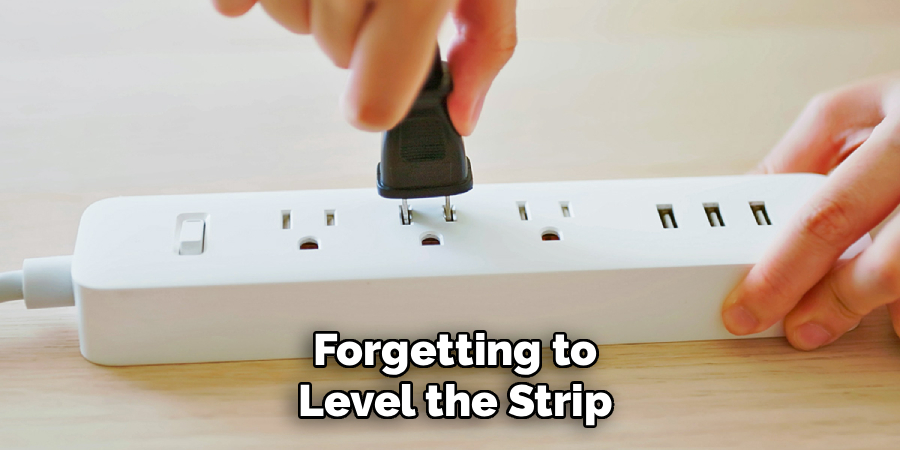
Mistake 6: Forgetting to Level the Strip
Why it happens: People eyeball placement and skip the level to save time.
The cost: A crooked strip looks sloppy, and worse, uneven screw holes make the keyhole slots hard to align. You end up re-drilling and patching extra holes.
The fix: Use a level — or a phone level app — every single time. Mark, check, then drill. Measure twice, drill once.
In short: most failures trace back to the wrong anchor, a flush screw, or too much weight — all easy to avoid with a little planning.
Frequently Asked Questions
Can I hang a power strip on the wall without drilling holes?
Yes. Use heavy-duty mounting tape or adhesive strips designed for the weight of your power strip. Clean both the wall and the strip’s back with rubbing alcohol first, press firmly, and wait an hour before use. This works best for lightweight strips with light cord loads.
Is it safe to mount a power strip on the wall?
It’s safe when done right. Keep the strip in a dry, ventilated spot, don’t overload it, and never cover it. Mounting it off the floor actually improves safety by reducing dust buildup, spill exposure, and trip hazards.
What screws should I use to mount a power strip on wall?
For drywall, use screws paired with plastic wall anchors, or drive them straight into a stud. For concrete or brick, use masonry screws with concrete anchors. Match the screw size to the keyhole slots on the back of your strip.
How do I mount a power strip that has no keyhole slots?
Use a mounting bracket sized for your strip, or secure it with two sturdy cable clips. Screw the bracket to the wall, then slide or snap the strip into place. Adhesive tape also works for lighter strips without slots.
How high should I mount a power strip on the wall?
Mount it high enough to stay clear of floor spills and dust, but low enough to reach your devices’ cords. Behind a desk, a spot just above the baseboard works well. In a garage or workshop, waist height keeps plugs easy to access.
Wrapping Up
That tangled mess on your floor doesn’t have to stay there.
Here’s what to remember. Check your strip for keyhole slots first — they make screw mounting quick and solid. Renting? Reach for adhesive strips, but only with a light load. Match your anchors to your wall type, leave the screw heads slightly proud, and always use a level. Keep the strip dry, ventilated, and under its amp rating.
Twenty minutes of work gives you a cleaner space, safer cords, and one less thing to trip over.
You’ve got this. Grab your tools and get that power strip off the floor.
Want to keep tidying up your setup? Check out our guide on [related topic: cable management ideas for your desk].

About
Robert D is a distinguished figure in the world of Safety Systems and Risk Management, with a decade of expertise creating innovative and sustainable workplace solutions. His professional focus lies in merging traditional safety protocols with modern digital monitoring techniques, fostering environments that are both practical and hazard-conscious. As the lead author of SafetyRift, Robert delves into the art and science of risk mitigation, inspiring safety officers and industry professionals alike to bridge the gap between compliance and culture.
Education
RMIT University (Melbourne, Australia)
Associate Degree in Design (Industrial Safety)
-
Focus on sustainable safety infrastructure, industry-driven risk assessments, and practical implementation.
-
Gained hands-on experience with traditional hazard identification and digital monitoring tools, such as IoT safety sensors and predictive analytics software.
Nottingham Trent University (United Kingdom)
Bachelor’s in Occupational Health and Safety (Honors)
-
Specialized in systemic design with a focus on blending human behavior psychology with modern safety production techniques.
-
Participated in industry-wide projects, working with global logistics and manufacturing firms to gain real-world insights into large-scale safety deployments.
Publications and Impact
In SafetyRift, Robert shares his insights on safety design processes, protective materials, and strategies for efficient, accident-free production. His writing bridges the gap between foundational safety knowledge and modern industrial needs, making it a must-read for both budding safety coordinators and seasoned risk management professionals.
