
We have all been there. You pull into the driveway after a long day, groceries in the trunk, rain pattering on the windshield, and you reach out to punch your code into the garage keypad. Nothing happens. You try again. Still nothing. Or maybe you just moved into a new home and realized the previous owners never gave you the PIN for the exterior entry.
Security and convenience are the two main reasons we love keyless entry systems, but when they stop working, they become a major headache. Whether you have forgotten your PIN, need to lock out a former roommate, or the device is simply acting up, learning how to reset Clicker garage door keypad units is a skill every homeowner needs. It is usually a straightforward process, but it does require knowing a few specifics about your garage door opener motor.
In this guide, we are going to walk through the entire process. We will cover identifying your unit, the exact button sequences you need, and what to do if the standard reset doesn’t work. Let’s get your garage secure and accessible again.
Understanding Your Keypad Before You Start
Before we start pushing buttons, it helps to understand what we are actually doing. The “Clicker” brand (often manufactured by Chamberlain) is designed to be universal. This means it speaks many different “languages” to communicate with various garage door openers, whether you have a LiftMaster, Genie, Craftsman, or Chamberlain motor.
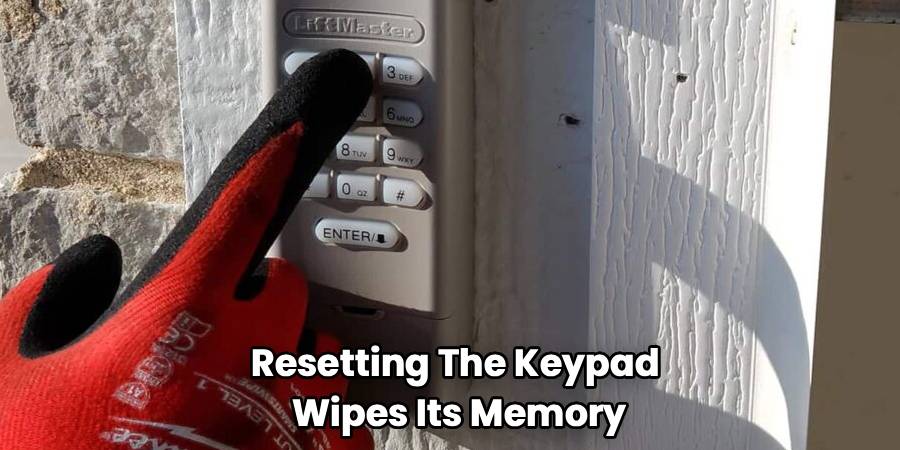
Resetting the keypad essentially wipes its memory. It clears the connection between the wireless keypad and the motor unit on your ceiling. Once wiped, the keypad returns to its factory state, allowing you to program a new PIN code that only you know. This is vital for security. If you bought a house recently, you have no idea who else might have the old code. A hard reset ensures you are the only one with access.
Locate Your “Learn” Button
The most critical part of this process happens in your garage, not on the keypad itself. You need to find the “Learn” or “Program” button on your main garage door opener unit (the box hanging from the ceiling).
Grab a sturdy stepladder and climb up to inspect the motor head. You might need to pop off a plastic light cover to see the control panel. You are looking for a specific colored button:
- Green or Orange: Often indicates older technology (390 MHz).
- Purple: usually indicates a 315 MHz security+ system.
- Red or Orange: Can indicate a rolling code system.
- Yellow: Indicates the newest Security+ 2.0 technology.
Make a note of this color. While the Clicker keypad is smart, knowing your opener’s “Learn” button color helps if you run into trouble during the syncing process.
Step-by-Step Guide To Resetting Your Keypad
This section covers the standard procedure for the popular KLIK2U model and similar Clicker universal keypads. Follow these steps carefully to wipe the old settings and establish a fresh connection.
Step 1: Preparation on How To Reset Clicker Garage Door Keypad
The first thing you need to do is clear the keypad’s logic. On most Clicker models, this isn’t done by a single “reset” button but by initiating the programming mode which overrides previous settings.
Slide the battery cover down to expose the battery and the programming area. Check your battery status while you are here. If the old 9-volt battery looks corroded or is more than a year old, swap it out now. Weak power is the number one cause of programming failures.
Step 2: Clearing the Factory Memory
To start fresh, press and hold the * (Star) and # (Pound) buttons simultaneously. You need to hold these down together until the LED light on the keypad stops flashing and stays steady.
Once the light is solid, the keypad is listening. This state indicates that the internal memory is ready to accept a new PIN. This is the equivalent of wiping a chalkboard clean.
Step 3: Entering Your New PIN
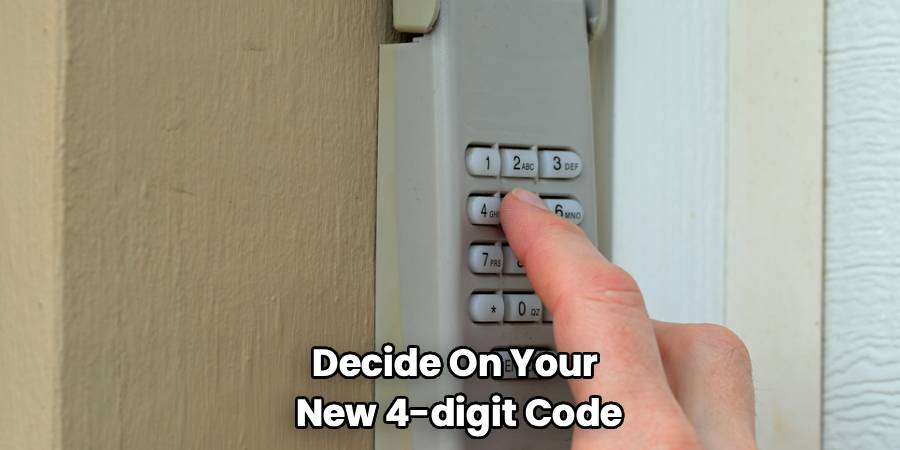
Now, decide on your new 4-digit code. Avoid years of birth or simple sequences like “1234.”
- With the keypad light steady, enter your new 4-digit PIN.
- Press the # (Pound) button once.
- The light usually flashes a specific number of times to confirm, or it might just wait for the next command depending on your specific model.
Step 4: Identifying the Door Opener Type
This is where that “Learn” button color comes in handy. You have to tell the keypad what kind of motor it is talking to.
- Enter the ID number that corresponds to your opener type (refer to the chart often found inside the keypad cover). For example, Chamberlain units with a yellow button might use ID “8”.
- After entering the ID number, press the # (Pound) button again.
Note: If you don’t have the ID chart, many modern Clicker keypads have a “scan” function where you press the button repeatedly until the door moves, but using the specific ID is faster.
Step 5: Syncing with the Motor
Now, move to your ladder.
- Press and release the “Learn” button on the garage door opener motor unit. The indicator light on the motor should glow steadily (usually for 30 seconds).
- Quickly return to your keypad (do not run, but move with purpose).
- Enter your new 4-digit PIN again.
- Press the 0 key.
- If the door does not move, release and press the 0 key again. You may need to do this a few times. The keypad is cycling through different frequencies.
- Once the garage door clicks and the opener light blinks (or the door starts moving), press the Exit or # key immediately to lock in the code.
While going through these motions, it is helpful to have the instruction manual on how to reset Clicker garage door keypad specific models handy, as minor variations exist between the KLIK2U and older versions.
Troubleshooting Common Issues
Even if you follow the steps perfectly, technology can be temperamental. If you are struggling to troubleshooting Clicker garage door keypad issues, here are the most likely culprits.
The LED Light Bulb Conflict
This is a surprisingly common issue. If you recently installed LED light bulbs in your garage door opener unit, they might be interfering with the signal. Some cheap LED bulbs emit radio frequencies that jam the signal between your keypad and the opener.
The Fix: Unscrew the LED bulbs and try programming the keypad again. If it works, switch to “garage door specific” LED bulbs or standard incandescent bulbs.
The Memory is Full
Your garage door opener motor has a limit on how many remotes and keypads it can remember. If you have programmed several car remotes, a keypad, and perhaps a smart home bridge, the memory might be full.
The Fix: You need to clear the motor’s memory, not just the keypad. Press and hold the “Learn” button on the motor unit for about 6-10 seconds until the LED goes out. Warning: This erases all remotes. You will have to reprogram every remote control and keypad you own.
Keypad Buttons Are Stuck
Over time, weather exposure can make the rubber buttons sticky or unresponsive. If you press a number and don’t feel a tactile “click,” the keypad might not be registering the digit.
The Fix: Clean the keypad with a specific electronics contact cleaner, or if it’s very old, it might be time to replace the unit entirely.
Frequently Asked Questions
Can I reset garage door keypad without manual?
Absolutely. Most Clicker keypads follow the universal standard described above. The key is simply locating the “Learn” button on your motor. If you don’t have the code list for the “ID” step, you can use the scanning method: after putting the keypad in program mode and hitting the “Learn” button on the motor, enter your PIN and press the “0” key repeatedly until the door moves. This forces the keypad to cycle through all available frequencies until it finds the right one.
How do I program new code for Clicker keypad if I forgot the old one?
You do not need the old code to program a new one. The security feature of these keypads assumes that if you have physical access to the “Learn” button inside the garage, you are the owner. By holding the * and # buttons to reset the unit, you bypass the need for the old PIN completely. You are essentially setting up the device as if it were brand new out of the box.
Why is my keypad flashing rapidly and not working?
Fast flashing usually indicates one of two things: the battery is critically low, or the keypad is stuck in programming mode. First, remove the battery for one minute to perform a soft reset. Insert a fresh 9V battery. If it continues to flash rapidly without input, the internal circuit board may be damaged by moisture, and you will likely need a replacement.
Does the weather affect my keypad?
Yes, extreme cold can cause voltage drops in alkaline batteries. If your keypad stops working during a deep freeze, warm up the battery or replace it. Additionally, high humidity can cause corrosion on the battery contacts. Applying a small amount of dielectric grease to the battery terminals can prevent this.
Conclusion
Knowing How To Reset Clicker Garage Door Keypad units gives you control over your home’s perimeter security and ensures you are never left stuck in the rain. Whether you are wiping old codes for safety or setting up a new device, the process is logical and manageable.
Remember that patience is the most important tool in your kit. Sometimes the motor unit times out, or you might miss a button press. That is okay. Take a breath, reset the sequence, and try again. By maintaining your keypad and keeping the code fresh, you ensure that your garage remains a convenient entry point for your family—and a locked door for everyone else.

