

Finding a hidden camera where you expect privacy can be a deeply unsettling experience. While we rely on smoke detectors to keep us safe from fires, the thought that one could be concealing a camera is a serious violation of trust. With the rise of compact surveillance technology, it’s understandable to feel a little paranoid. But how do you know if your concerns are valid?
This article will walk you through the process and give you the knowledge you need. We will cover the practical steps you can take to inspect a device and provide clear, actionable advice. Learning how to tell if smoke detector has camera is a skill that can help you protect your privacy and regain peace of mind, whether you’re in a rental property, a hotel room, or even your own home.
Step-by-Step Guide on How To Tell If Smoke Detector Has Camera
If a smoke detector seems out of place or makes you feel uneasy, a systematic inspection can help you determine if it’s more than just a safety device. This guide provides a detailed approach to examining a smoke detector for hidden surveillance equipment. Remember to prioritize your safety, especially if you need a ladder to reach the device. If you’re inspecting a device in a rental property and find something suspicious, document it carefully and contact the property owner or local authorities. By following these steps, you will learn how to tell if a smoke detector has a camera.
Step 1: Conduct a Thorough Visual Inspection
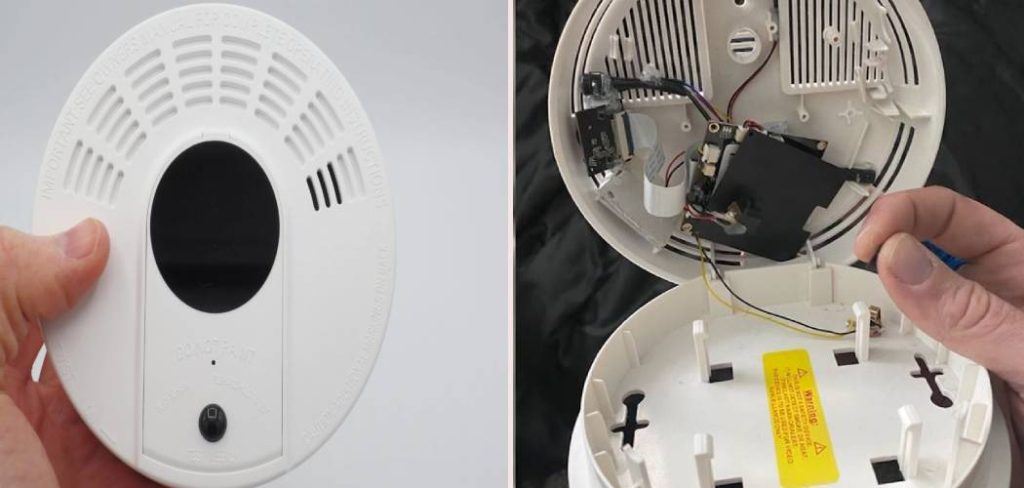
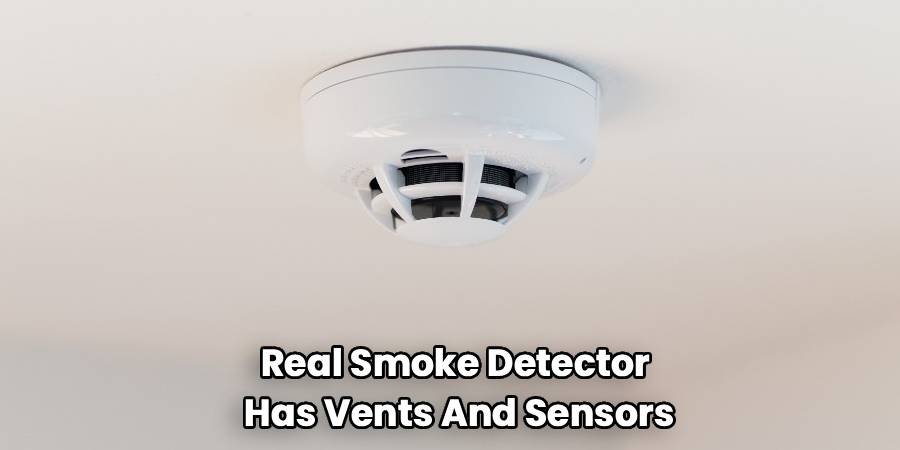
Start by looking at the smoke detector from a distance, then get closer for a detailed examination. Most hidden cameras need a clear line of sight. A tiny, dark circle that looks like a pinhole is the most common giveaway. A real smoke detector has vents and sensors for smoke, but a camera lens is different.
It will often be a perfectly circular, sometimes glossy, small black dot. Look for any parts that seem out of place. Does the casing have unusual markings, brand names you don’t recognize, or model numbers that a quick internet search reveals are linked to spy gear? Check for tiny LED lights that might blink or stay on, which could indicate the camera is active or recording.
Step 2: Examine the Device’s Placement and Angle
The location of a smoke detector can be a major red flag. Standard smoke detectors are placed centrally on the ceiling to best detect rising smoke. A device intended for surveillance might be positioned differently. Ask yourself if the placement makes sense for fire safety.
Is it in a corner of the room? Is it mounted on a wall instead of the ceiling? Is it angled unnaturally toward a specific area, like a bed, a desk, or a changing area?
A smoke detector with a camera needs a strategic vantage point to be effective. If its position seems more suitable for capturing video than detecting smoke, it warrants a closer look.
Step 3: Check for Wires, Memory Cards, and Power Sources
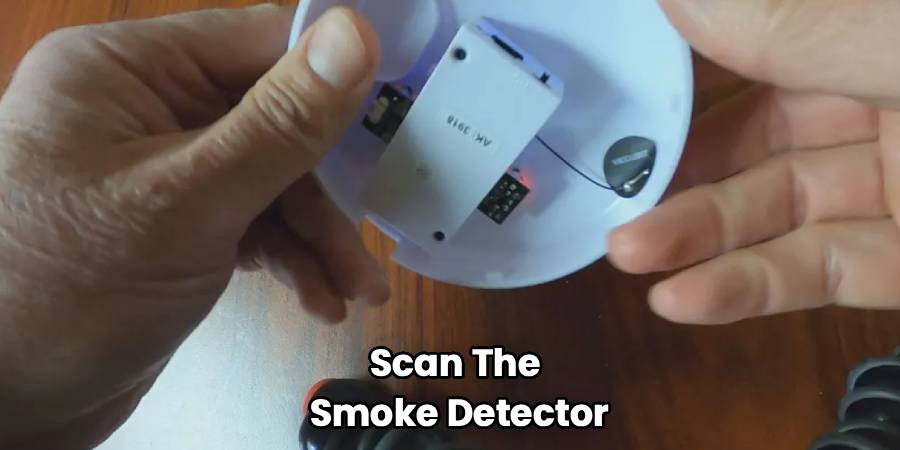
Carefully detach the smoke detector from its mounting base if you can do so safely. Standard smoke detectors are either hardwired into the building’s electrical system or powered by batteries (like 9-volt or AA). A hidden camera might have a different setup. Look for extra wires that don’t seem to belong, such as a thin USB cable for power or data transfer.
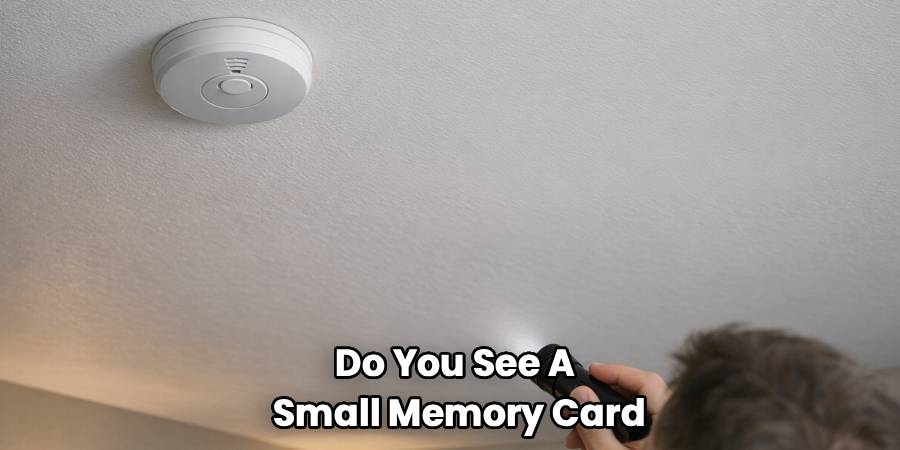
Open the battery compartment. Do you see a small memory card, like a microSD card, tucked inside? Some cameras use these for local storage. Others might have a small, rechargeable lithium-ion battery pack instead of the standard disposable batteries. Any component that seems unrelated to the function of a normal smoke detector is a significant sign of a camera.
Step 4: Use Your Smartphone’s Camera to Detect Infrared Light
Many hidden cameras, especially those designed for low-light or nighttime recording, use infrared (IR) LEDs to illuminate the area. These lights are invisible to the human eye but can often be detected by a smartphone camera. To perform this test, darken the room as much as possible. Turn on your phone’s front-facing camera (the one you use for selfies), as it’s typically more sensitive to IR light than the rear camera. Point the camera at the smoke detector and look at your phone’s screen. If you see any small, purplish or white lights that you can’t see with your naked eye, you may have found the camera’s IR illuminators.
Step 5: Use a Lens Detector for Hidden Cameras
For a more high-tech approach, consider using a dedicated hidden camera detector or an RF (radio frequency) scanner. A camera lens detector works by flashing bright LEDs and allowing you to look through a special viewfinder. If there’s a hidden camera lens, the light will reflect back with a distinct glint, making it stand out. Simply scan the smoke detector; if a hidden lens is present, it will be visible in the viewfinder. This method is excellent for identifying both wired and non-transmitting cameras that other techniques might miss. Lens detectors are widely available online and can be a valuable tool if you often stay in unfamiliar places.
Step 6: Scan for Wi-Fi Networks and Radio Frequencies (RF)
Many hidden cameras rely on wireless signals to transmit video to a remote device. To detect these, you can use two practical tools: a Radio Frequency (RF) detector and a smartphone with a Wi-Fi scanning app.
Start by turning off all known wireless devices in the room (like laptops or tablets) to reduce background signals. Next, use an RF detector—these handheld gadgets will beep, light up, or vibrate as you move closer to a device sending out a radio frequency signal. Slowly sweep the RF detector around the smoke detector and nearby areas, keeping an eye (and ear) out for any sudden reactions. If you notice a spike near the smoke detector, it could mean there’s a transmitting camera inside.
You can also use your smartphone to scan for unfamiliar Wi-Fi networks. Open the list of available wireless networks and look for network names (SSIDs) that you don’t recognize, especially those that look like a string of random numbers or letters. Some spy cameras create their own Wi-Fi hotspots so someone can access their feed remotely. If you see a strong, unexplained Wi-Fi network when standing near the smoke detector, or if the signal weakens rapidly as you move away, there may be a hidden camera inside.
If you confirm suspicious activity or an unknown device, document your findings and consider contacting property management or the authorities for further investigation.
Frequently Asked Questions
Understanding the nuances of hidden cameras can bring up a lot of questions. Here are answers to some common concerns about finding cameras in smoke detectors.
Is it legal for a smoke detector to have a camera?
The legality of placing a camera inside a smoke detector is complex and depends heavily on location and context. In public spaces where there is no reasonable expectation of privacy, surveillance is generally permissible. However, in private areas like bedrooms, bathrooms, or hotel rooms, secretly recording someone is illegal in most jurisdictions. Property owners, such as Airbnb hosts, may be allowed to have cameras in common areas (like living rooms or kitchens), but they are almost always required to disclose their presence to guests beforehand. Placing a hidden camera in a private space without consent is a severe invasion of privacy and can lead to serious legal consequences for the person who installed it.
Are there brands that manufacture smoke detectors with cameras?
Yes, a quick search online reveals many companies that manufacture and sell devices that look like smoke detectors but are actually hidden cameras. These are often marketed as “nanny cams” or covert security solutions. They are designed to blend in seamlessly with a normal home or office environment. These devices are easily purchased from online retailers. This accessibility is one of the reasons why it’s important to be vigilant. However, major, reputable smoke detector brands like Kidde, First Alert, or Google Nest do not integrate hidden cameras into their fire safety products. If the device has a familiar, trusted brand name on it, it is far less likely to be a camera.
What should I do if I find a camera?
If you confirm there is a camera hidden in a smoke detector, your first priority is your safety and privacy. Do not touch or move the device, as it could be evidence. Document your findings thoroughly. Take clear pictures and videos of the device, its placement, and any suspicious components like lenses or memory cards. If you are in a rental property, hotel, or Airbnb, leave the premises and contact the platform’s customer support and the property owner immediately. Most importantly, you should report it to your local law enforcement. A hidden camera in a private space is a crime, and the police can investigate, collect the evidence properly, and take action against the responsible party.
Conclusion
Knowing how to tell if a smoke detector has a camera is an essential skill for protecting your personal privacy in an age of accessible technology. By following the steps outlined in this article—from conducting a visual inspection and checking the device’s placement to using your smartphone for IR detection and scanning for Wi-Fi signals—you can confidently assess any suspicious device. Remember that your intuition is a powerful tool; if a smoke detector looks odd or makes you feel uncomfortable, it is always worth investigating further.
Ultimately, your right to privacy in spaces like bedrooms and bathrooms is paramount. Trust your judgment, be methodical in your inspection, and don’t hesitate to seek help from property managers or law enforcement if you discover a hidden camera. Staying informed and vigilant is the best way to ensure that the spaces you occupy are safe in every sense of the word.

