
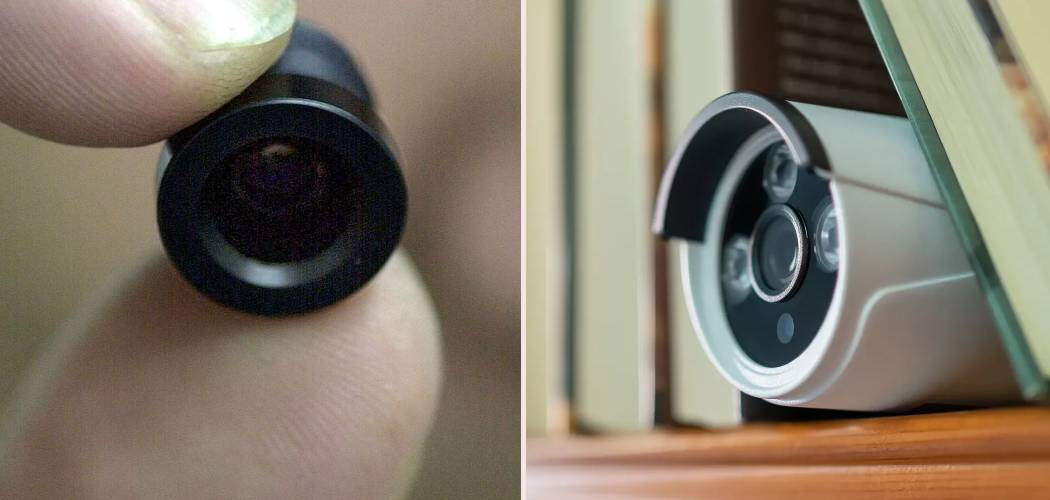
The thought of a hidden camera in your own home is unsettling. It’s a violation of privacy that can make anyone feel anxious and unsafe. While these devices are often associated with spy movies, their decreasing size and cost have made them more accessible, leading to real-world concerns about personal security. This guide is here to help you regain your peace of mind. We will walk you through practical methods and provide clear, actionable information on how to find spy cameras in your house, empowering you to protect your private spaces.
Discovering a hidden recording device doesn’t require you to be a tech genius. It often comes down to knowing what to look for and using a few simple techniques. From physical searches to using the technology you already own, you have several tools at your disposal. We’ll cover everything from common hiding spots to specialized detector apps, giving you a comprehensive approach to securing your home.
Step-by-Step Guide to Locating Hidden Cameras
Finding a hidden spy camera involves a systematic search of your environment. By following these steps, you can thoroughly check a room and identify any suspicious devices.
Step 1: Conduct a Thorough Physical Inspection
Before you use any technology, start with your own eyes and ears. Many hidden cameras, though small, must have a clear line of sight to record. Begin by decluttering the room to eliminate potential hiding spots. Then, carefully inspect common objects where a camera could be concealed. Pay close attention to items that seem out of place or have tiny, unexplained holes.
Look for pinhole-sized lenses on everyday objects. Common culprits include:
- Smoke detectors and carbon monoxide detectors
- Wall clocks, alarm clocks, and digital photo frames
- Power outlets, light switches, and extension cords
- Lamps, light fixtures, and even light bulbs
- Stuffed animals, books, and decorative items on shelves
- Houseplants and vases
- Picture frames and mirrors
Also, listen for any faint buzzing or clicking sounds. While most modern spy cameras are silent, some may emit a subtle noise, especially when they are actively recording or transmitting data.
Step 2: Scan for Wi-Fi Networks
Many modern spy cameras connect to a Wi-Fi network to stream or upload footage. You can use this to your advantage. A simple way to detect hidden cameras in your home is to scan the local Wi-Fi network for suspicious devices.
Use a network scanning app on your smartphone or computer, such as Fing or WiFiman. These apps list all devices connected to your network. Look for any device names that seem unfamiliar or generic, like “IP Camera,” a long string of numbers and letters, or a brand you don’t recognize. If you find a suspicious device, you can try to access its IP address through a web browser to see if it has a login page or video feed. If it does, you’ve likely found a camera. You can then disconnect it from your network through your router settings.
Step 3: Use Your Smartphone’s Camera to Find Infrared (IR) Light
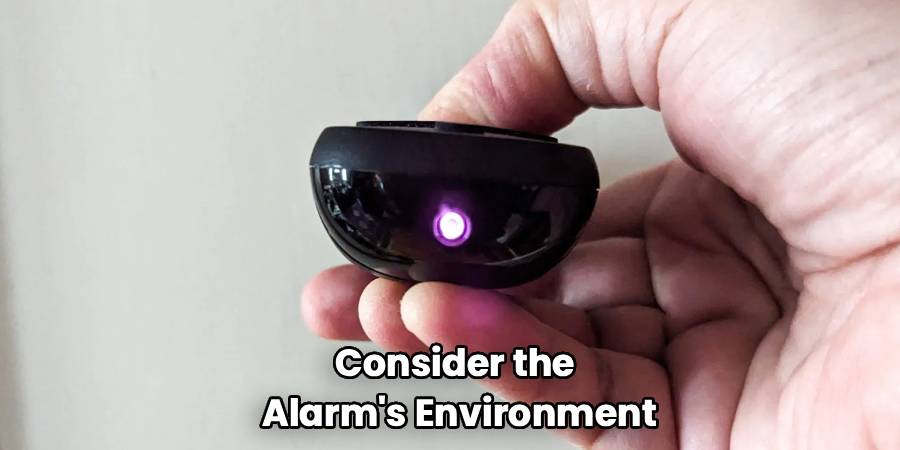
Hidden cameras designed for low-light or nighttime recording often use infrared (IR) LEDs to illuminate their surroundings. While this light is invisible to the human eye, most smartphone cameras can detect it. This makes your phone a powerful tool for spy camera detection methods.
To try this, darken the room as much as possible. Turn off all lights and close the curtains. Open your phone’s front-facing camera (the selfie camera often works better as it usually lacks an IR filter). Slowly pan your phone across the room, paying close attention to the screen. If you see any pulsing or steady points of purple or white light, you may have found an IR emitter from a hidden camera. Check these spots closely for a lens.

Step 4: Sweep for Radio Frequency (RF) Signals
Wireless spy cameras transmit video data using radio frequencies. A dedicated RF detector is a specialized device designed to pick up these signals. While this requires purchasing a tool, it is one of the most effective ways to find hidden devices that are actively transmitting.
To use an RF detector, turn off all known wireless devices in the area, like your Wi-Fi router, cordless phones, and Bluetooth speakers, to reduce false positives. Turn on the RF detector and slowly walk around the room. The device will beep or light up when it detects a radio frequency. The closer you get to the source, the stronger the signal will be, helping you pinpoint the camera’s location. This method is excellent for finding a live-feed spy camera scanner might otherwise miss.
Step 5: Check Mirrors and Two-Way Glass
Mirrors are a classic hiding spot for cameras. A two-way mirror looks like a regular mirror from one side but is transparent from the other. A simple test can help you determine if a mirror is suspicious.
Place your fingertip against the surface of the mirror. In a standard mirror, you will see a small gap between your finger and its reflection. This gap is caused by the second layer of glass over the reflective surface. If there is no gap and your finger appears to touch its reflection directly, you might be looking at a two-way mirror. A camera could be positioned behind it. Investigate any such mirrors carefully.

Frequently Asked Questions
Here are answers to some common questions about detecting hidden cameras.
Where are spy cameras commonly hidden?
Spy cameras are designed to be discreet, so they are often placed in objects that blend into the environment. Think about items that have a power source and a good vantage point. Common hiding places include smoke detectors, alarm clocks, power adapters, stuffed toys, wall outlets, picture frames, and even pens. Always check items that seem oddly placed or have been gifted to you unexpectedly.
Can a phone app really find hidden cameras?
Yes, certain hidden camera apps can be effective. There are two main types. The first scans for electromagnetic fields (EMF) using your phone’s built-in magnetometer. When you move your phone close to an electronic device, including a camera, the app’s reading will spike. The second type of app scans the local Wi-Fi network for connected cameras. While not foolproof, these apps provide a low-cost and accessible way to start your search.
What is the most reliable method for how to find spy cameras in your house?
A combination of methods is the most reliable approach. Start with a meticulous physical search of the room, looking for anything out of place. Follow this with a Wi-Fi network scan to identify unauthorized devices. Then, use your smartphone’s camera to sweep for IR lights in the dark. For the highest level of assurance, using a dedicated RF signal detector is the most effective way to uncover actively transmitting wireless cameras.
What should I do if I find a hidden camera?
If you find a camera, do not touch or move it immediately. Your first priority is your safety, so leave the area if you feel you are in danger. Document the discovery by taking pictures or videos of the device and its location from different angles. Once you have evidence, contact law enforcement. Placing a hidden camera in a private space without consent is illegal in many places, and the police can handle the situation appropriately and collect the device as evidence.
Conclusion
Knowing how to find spy cameras in your house is a crucial skill for protecting your privacy in an age of accessible technology. By combining a thorough physical inspection with modern tools like network scanners, your smartphone’s camera, and RF detectors, you can systematically sweep your home for any unwanted surveillance. Being proactive and aware of your surroundings is the best defense against this type of intrusion. Trust your instincts—if something feels off, it’s always worth investigating to ensure your home remains a safe and private sanctuary for you and your family.

