
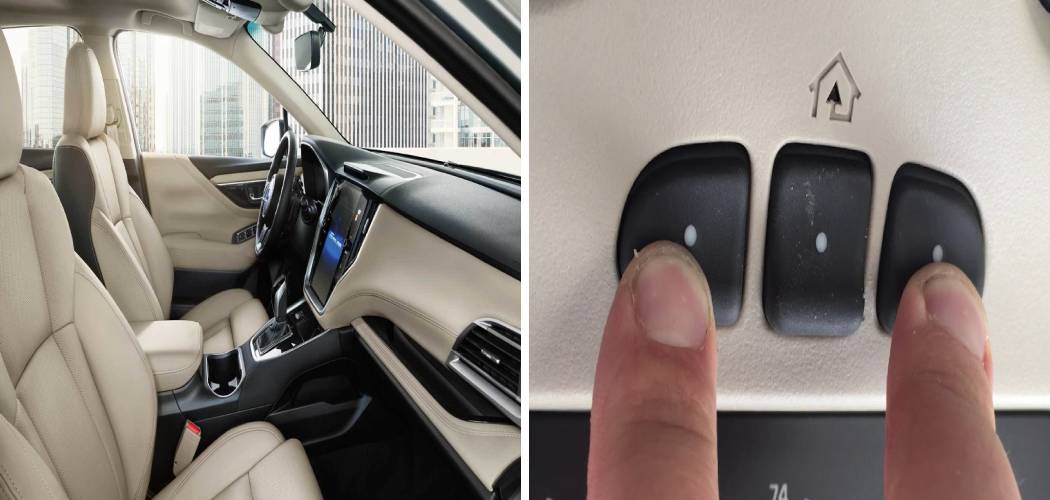
Imagine pulling up to your driveway in the pouring rain. Instead of fumbling for a clunky plastic remote clipped to your visor, you simply press a button seamlessly integrated into your Hyundai’s rearview mirror. The door glides open, you drive in, and you stay dry. It feels like magic, but it’s just the convenience of the HomeLink® system found in most modern Hyundais.
While the technology is fantastic once it’s working, setting it up can sometimes feel like trying to solve a puzzle without the picture on the box. Whether you’ve just bought a new Palisade, Tucson, or Elantra, or you’ve recently moved into a new home, you might be staring at those buttons on your mirror wondering where to start. Don’t worry—you aren’t alone. Programming these systems is one of the most common questions new owners have. We are going to walk through the exact process of How To Program Hyundai Garage Door Opener systems so you can ditch the extra remote and enjoy the seamless integration your car was built for.
Before You Start: Preparation is Key
Before we jump into button pressing, let’s make sure everything is ready. This will save you frustration later. Believe it or not, most failures happen because of a weak battery in the old remote or skipping the “clearing” step.
Here is what you need to have ready:
- Your Hyundai: Park it outside the garage, but close enough that the signal can reach the opener motor. Keep the engine running to ensure the battery doesn’t drain, but please make sure you are in a well-ventilated area—safety first!
- The Handheld Remote: You need the original remote that currently opens your garage door. It acts as the “teacher” for your car.
- A Stepladder: You might need to reach the main motor unit on your garage ceiling later in the process.
- Fresh Batteries: If your handheld remote has a weak battery, it might not transmit a strong enough signal for your Hyundai to learn. If in doubt, swap it out.
Now, let’s clear the slate. If you bought your car used, or if you’ve tried and failed to program this before, you need to erase any old codes.
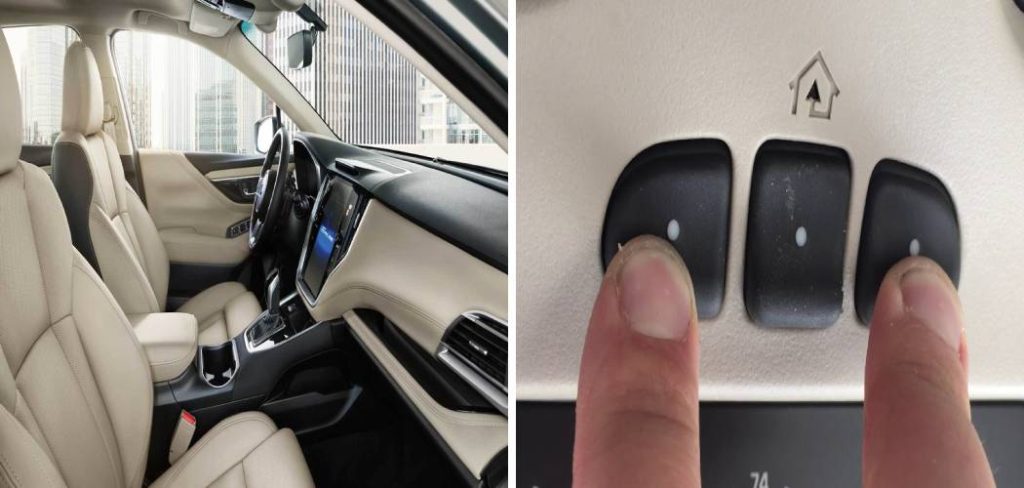
Press and hold the first and third buttons on your Hyundai’s rearview mirror simultaneously. Keep holding them for about 20 seconds. You’ll see the indicator light on the mirror turn solid or flash rapidly. Once it flashes, release the buttons. Now your system is clean and ready for a fresh setup.
Step-by-Step Guide to Programming Your Hyundai
Now comes the actual programming. Most garage door openers fall into two categories: those with a “Rolling Code” (most common in units made after 1996) and those without. We will start with the standard method, which works for both, but if you have a rolling code opener, there will be an essential extra step at the end.
Step 1: Pairing the Mirror with the Remote
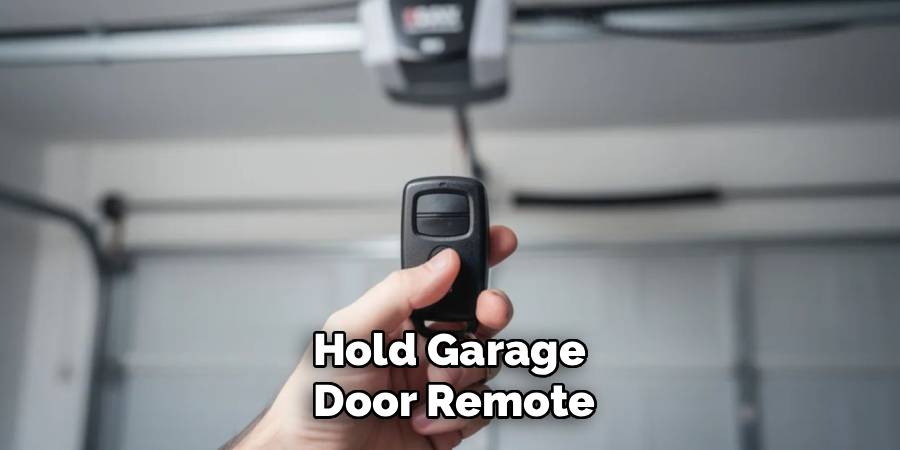
This is where your car “learns” the frequency of your specific garage door. Sit inside your Hyundai with your handheld garage remote.
- Hold the garage door remote about 1 to 3 inches away from the HomeLink buttons on your rearview mirror.
- Simultaneously press and hold the button you want to program on the mirror (usually the first one) AND the button on your handheld remote.
- Do not release either button yet. Watch the indicator light on the mirror closely.
- The light will likely flash slowly at first. Keep holding both buttons until the light starts flashing rapidly.
- Once the rapid flashing begins, release both buttons.
This rapid flashing means the car has successfully recorded the signal. However, we aren’t done yet. We need to test if it works immediately or if you need to proceed to the rolling code steps.
Step 2: Testing the Signal
Press and hold the button on your mirror that you just programmed.
- Scenario A: If the light stays solid green (or red, depending on the model) and the garage door operates, congratulations! You are done. You have a fixed-code opener.
- Scenario B: If the light flashes rapidly for two seconds and then turns solid, but the door does not move, you have a Rolling Code system. This is very common for security reasons. It means your car knows the signal, but your garage door motor doesn’t recognize your car yet. You must proceed to Step 3.
Step 3: Syncing with the Garage Motor (Rolling Code)
This is the part where many people get stuck, but it’s actually quite simple if you move quickly. This step requires you to get out of the car, so having a helper makes it much easier.
- Locate the “Learn” or “Smart” button on your garage door opener motor unit (the box on the ceiling). It is usually on the back or side, often near the hanging antenna wire. It might be yellow, purple, orange, or green.
- Press and release the “Learn” button quickly. Do not hold it down (holding it might erase all remotes paired to the unit!).
- Once you press it, a light on the motor unit will usually glow. You now have about 30 seconds to get back to your vehicle.
- Return to your Hyundai and press the HomeLink button you programmed in Step 1. Press it firmly and hold for two seconds, then release.
- Repeat the “press, hold, release” sequence up to three times.
- The garage door should activate.
Step 4: Final Verification and Troubleshooting
Once the door moves, the programming is complete. Give it a few test runs. Open the door, close the door, and make sure the range is good.
If it still isn’t working, don’t panic. Sometimes the “Learn” mode times out before you get back to the car. If you are doing this alone, ensure you are moving safely but quickly. Also, check that your garage door antenna (the little wire hanging from the motor) is hanging down straight to receive the signal.
Sometimes, LED light bulbs installed in the garage door opener itself can cause interference. If you are having trouble, try unscrewing those bulbs temporarily to see if the signal improves.
How To Program Hyundai Garage Door Opener With Older Systems
If you are working with a particularly old system (pre-1996) or certain specialty gates, the standard “continuous hold” method in Step 1 might not work.
In Canada, and for some older US gates, the remote signals stop transmitting after a few seconds even if you hold the button. If the standard method failed, try “cycling” the handheld remote during Step 1.
Instead of holding the remote button down, press and release it every two seconds while continuously holding the HomeLink button in your car. This repeats the signal so the car can catch it.
Common Challenges and Solutions
Programming technology is great, but it can be finicky. Let’s look at why your Hyundai HomeLink programming might be failing even if you followed the steps.
The “Phantom” Signal
Sometimes, the car picks up a signal but it’s weak. This happens if your handheld remote battery is dying. You might think the car learned the code because the light flashed, but the signal isn’t strong enough to actually trigger the opener later. Always use fresh batteries in the teaching remote.
Maxed Out Memory
Your garage door motor unit (the box on the ceiling) has a limit to how many remotes it can remember. If you have programmed five different cars and three handheld remotes over the years, the memory might be full. You may need to clear the memory on the garage unit (refer to your garage opener’s manual, usually by holding the Learn button for 10 seconds) and reprogram all your remotes from scratch.
Interference Issues
We mentioned LED bulbs, but other electronics can interfere too. If you have a dashcam plugged in near the mirror, or a radar detector, unplug them during programming. They can emit radio frequencies that confuse the HomeLink receiver during the learning process.
Why Use HomeLink Instead of a Remote?
You might be wondering if this effort is worth it. Why not just keep the clicker on the visor?
Security
A clipped remote is a security risk. If someone breaks into your car, they can steal the remote and have access to your home. With HomeLink, the system is built into the car. In many modern Hyundais, the buttons only work when the ignition is on or in accessory mode. If your car is parked outside and turned off, a thief cannot break a window and open your garage.
Convenience and Aesthetics
Let’s be honest, those plastic remotes are ugly. They rattle, they fall off the visor, and the batteries die at the worst times. Your Hyundai’s interior is sleek and modern; using the built-in buttons keeps it looking that way. Plus, you never have to worry about losing the remote.
Battery Free
The HomeLink system draws power from your vehicle’s electrical system. You will never again have to drive to the store to buy a specialized 9-volt or button-cell battery because your garage door won’t open.
Troubleshooting Specific Hyundai Models
While the HomeLink system is generally standard across the lineup, slight variations exist depending on your trim level and model year.
Hyundai Palisade and Santa Fe
These larger SUVs often have the buttons located on the bottom of the rearview mirror, but some newer trims move them to the overhead console near the map lights. Double-check your owner’s manual if you don’t see buttons on the mirror itself. The process remains the same, but the location differs.
Hyundai IONIQ 5 and IONIQ 6
For electric vehicle owners, the process is identical. However, ensure your EV is “on” (Ready mode) during programming to ensure the mirror has power. Since there is no engine noise, it’s easy to forget if the car is fully powered up or just in accessory mode. Ready mode is best for consistent voltage.
Hyundai Elantra and Sonata
Sedans often come with HomeLink only on the higher trim levels (Limited or N-Line). If you have a base model, verify that your mirror actually has the HomeLink logo (a little house icon) on the buttons. Some mirrors look similar but only have auto-dimming features without the garage opener capability.
Frequently Asked Questions
Can I program my Hyundai to open my community gate?
Yes, you absolutely can. The process is very similar to garage doors. Community gates usually operate on a fixed code or a rolling code just like a personal garage. However, some community gates have a “cycle” timer that cuts off the signal quickly. If the standard steps don’t work, try the “cycling” method mentioned in the “Older Systems” section above (pressing the remote button every 2 seconds while holding the mirror button). If that fails, you may need to contact your property manager to see if their specific gate receiver requires a special setup or if it is compatible with HomeLink.
How do I clear just one button without erasing the others?
This is a very common question. Usually, when you hold the first and third buttons, it wipes everything. Unfortunately, with most HomeLink versions found in older Hyundais, you cannot erase just one button. You just overwrite it. If you move and want to change button #2 from your old house to your new house, simply follow the standard programming procedure for button #2. The new code will overwrite the old one automatically. You don’t need to wipe the whole system to change one assignment.
Will this work with a LiftMaster or Chamberlain opener?
Yes. LiftMaster, Chamberlain, and Craftsman are essentially the same hardware family and are fully compatible with Hyundai’s system. These brands almost always use Rolling Code technology (Security+ or Security+ 2.0). If you have a LiftMaster with a yellow antenna wire, you definitely have a Rolling Code system, so be prepared to use the stepladder and the “Learn” button on the motor unit.
My garage door opener is very new (WiFi enabled). Is the process different?
Generally, no. Even the newest WiFi-enabled openers (like MyQ) still use radio frequencies to talk to remotes. The WiFi part is for your phone app. The mirror in your Hyundai still talks to the opener via standard radio waves. Follow the standard Rolling Code instructions. However, if you have a specialized “Security+ 2.0” system, ensure your Hyundai is compatible. Most Hyundais manufactured after 2010 are fully compatible. If your car is older than 2010 and your opener is brand new, you might need a “compatibility bridge” or repeater, which you can buy online.
I followed all the steps, but the light on the mirror never flashes rapidly. Why?
If the light never goes into rapid flash mode during Step 1, the mirror is not seeing the remote’s signal.
- Check the distance: Try holding the remote closer (1 inch) or further away (4 inches).
- Check the battery: This is the #1 culprit. Put a fresh battery in the handheld remote.
- Check the angle: Try holding the remote at a different angle or even behind the mirror (facing the windshield). The sensor location can vary slightly.
- Interference: Turn off your phone and unplug any dash cams.
Does the car need to be running to program it?
It is highly recommended that the car be running (or in “Ready” mode for EVs/Hybrids). This ensures the mirror gets full, consistent voltage. If you are in a closed garage, obviously do not run the engine. Open the garage door first for ventilation, or pull the car halfway out onto the driveway.
I lost my original remote. Can I still program the car?
This is tricky. The car needs to learn the signal from something. If you lost the original remote, you cannot perform Step 1. You will need to buy a universal replacement remote first, program that universal remote to your garage opener, and then use that universal remote to teach your car. You cannot program the car directly from the “Learn” button on the ceiling unit without a handheld remote to act as the bridge.
Conclusion
Setting up your car’s technology features should make your life easier, not harder. By following this guide, you should now have a fully functional button on your mirror that welcomes you home every day. Learning How To Program Hyundai Garage Door Opener buttons is a “do it once and forget it” task that pays off every time it rains or snows.
Remember, the key is patience. If it doesn’t work the first time, take a breath, clear the codes, and try again with a fresh battery in your handheld remote. The convenience of rolling into your driveway and tapping a button on your mirror is well worth the ten minutes of setup. Enjoy your seamless, remote-free arrival!

