
Nothing spikes your adrenaline quite like the sudden, piercing shriek of a home security system. Whether you accidentally tripped a sensor while letting the dog out or experienced a technical glitch, the immediate goal is silence. Panic can often make a simple task feel impossible, especially when a siren is blaring in your ears.
Understanding the basic mechanics of your security system is crucial for regaining peace and quiet. This guide is designed to walk you through the process calmly and effectively. We will cover everything from standard code entry to handling power issues. By the end of this article, you will know exactly how to turn house alarm off quickly, ensuring that you can handle false alarms without stress or unnecessary calls to your monitoring service. Let’s get that noise stopped and your home back to normal.
Why Knowing How To Handle Your Alarm Matters
Understanding your home security system is about more than just protection against intruders; it is about maintaining a comfortable living environment. False alarms are incredibly common, caused by everything from low batteries to sensitive motion detectors. When an alarm goes off unexpectedly, it disrupts your household, scares pets, and can even annoy your neighbors. If you do not resolve the issue quickly, you might face fines from local law enforcement for false emergency calls.
Beyond the noise and potential fines, being unable to silence your system can leave your home vulnerable if you resort to completely powering it down incorrectly. Knowing the proper procedures ensures that you can reset the system and maintain your security perimeter without gaps. This knowledge empowers homeowners to manage their technology confidently, turning a potential crisis into a minor, manageable inconvenience.
10 Step-by-Step Guide on How To Turn House Alarm Off
Step 1: Locate The Main Control Panel Quickly
The very first action you must take when the siren begins is to physically go to your main keypad or control panel. This is usually located near the main entry door, the garage door, or in a central hallway. While you may have secondary keypads in the bedroom or back door, the main panel often has the most direct control over the system’s functions. It is important to move safely but swiftly to this location.
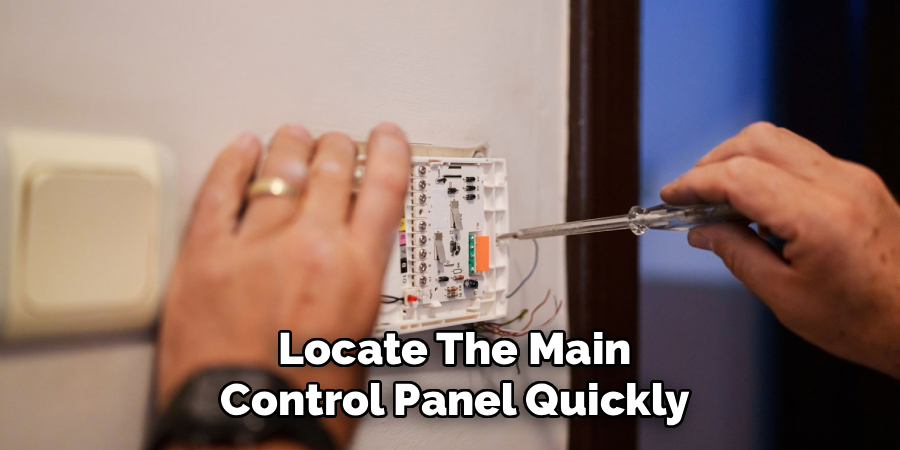
Do not run, as panic can lead to accidents, but do not dawdle. Once you are in front of the panel, take a deep breath to steady your hands. You need to be calm to enter information correctly. If you are disoriented by the noise, focus solely on the keypad buttons. This physical unit is the brain of your security setup, and accessing it is the primary way to communicate that the threat is not real.
Step 2: Check The Display For Specific Zone Information
Before you start pressing buttons randomly, take a brief moment to look at the LCD or touchscreen display on the panel. The screen will usually tell you exactly which sensor has been tripped. It might read “Front Door,” “Kitchen Window,” or “Motion Detector Hallway.” Understanding what triggered the event is vital because it confirms whether this is a false alarm or a genuine intrusion. If the screen says “Back Window” and you know nobody should be there, proceed with caution. However, if it says “Kitchen Door” and you just walked through it with groceries, you know it is a simple mistake. Reading the display helps ground you in reality and provides necessary context. This brief pause to gather information prevents you from resetting a system that might actually be warning you of a real danger, although in most cases for this guide, we assume a false alarm scenario.
Step 3: Enter Your Master Security Code Carefully
This is the most standard method for silencing a system. You need to key in your four or six-digit master user code. It is common to fumble your fingers when a loud siren is blasting, so try to be deliberate with each press. If you make a mistake, many systems require you to press a “Clear” or “Reset” button before trying again, rather than just continuing. Do not rush the entry. Press each number firmly. On most modern systems, entering the correct code will immediately silence the siren, although the system might still show a “Not Ready” or “Alarm Memory” status. If the first attempt does not work, pause for one second, press clear, and try again. It is incredibly easy to mistype when stressed, so accuracy is far more important than speed here. Successfully entering your code is usually the golden ticket to quiet.
Step 4: Use The “Off” or “Disarm” Command Sequence
On some older or specific brand panels, simply entering the code is not enough; you must follow it with a command. For example, you might need to press your code and then the “1” key which stands for “Off,” or a dedicated “Disarm” button. If entering the code alone did not work in the previous step, look for text on the keypad keys. They are often labeled with small words like “Stay,” “Away,” and “Off.” The sequence is usually Code + Off. If you are unsure, try the standard disarm sequence you use when you come home from work. This action tells the system to stop the current alarm event and return to a standby mode. It is a specific instruction that overrides the active siren. Learning this specific sequence for your hardware is a key part of learning how to turn house alarm off effectively.
Step 5: Check For A “Cancel” Button Or Option
Modern smart home security panels often have a more intuitive interface than traditional rubber-button keypads. If you have a touchscreen panel, look for a large, obvious prompt on the screen that says “Cancel Alarm” or “Silence Siren.” These interfaces are designed for user experience and often pop up this option immediately upon an alarm event. You may still need to enter your user code after pressing “Cancel” to verify your identity. This feature is designed specifically to abort the signal sent to the monitoring station. If you press this quickly enough, you might prevent the security company from calling you or dispatching police. It serves a dual purpose: it stops the noise in your house and it sends a “disregard” signal to the central station. Always look for this on-screen option first if you have a newer system.
Step 6: Identify And Close Any Open Sensors
Sometimes a system will not fully disarm or reset if a sensor is still technically “open.” For instance, if the alarm was triggered because a door blew open in the wind, and that door is still standing wide open, the system cannot return to a “Ready” state. The siren might stop, but the keypad will continue to beep aggressively.
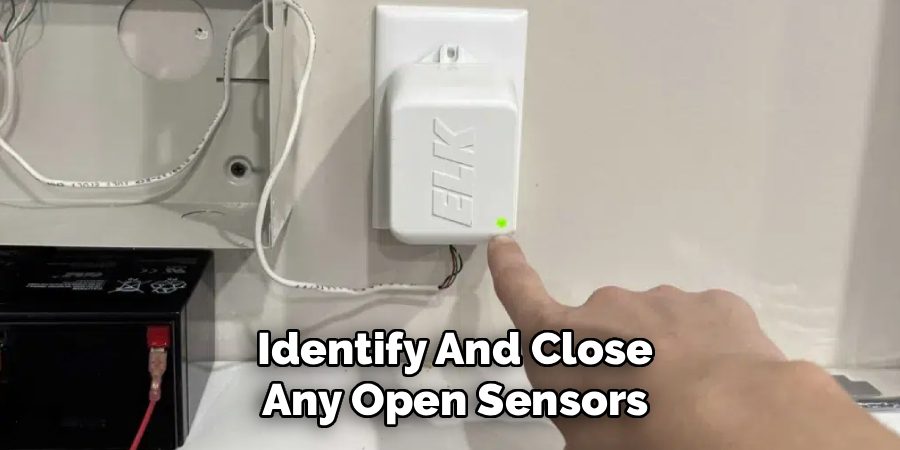
You must go to the location of the breach identified in Step 2 and physically close the door or window. Once the sensor contact is re-established (closed), return to the keypad. You may need to enter your code one more time to clear the error message from the display. This step ensures that the system is physically secure again. It is impossible to fully reset a system that thinks there is still a gaping hole in your security perimeter, so securing the house is a mandatory step.
Step 7: Disconnect The Backup Battery If Necessary
If the code does not work and the keypad is unresponsive—perhaps due to a lightning strike or massive malfunction—you may need to power cycle the system manually. This involves opening the main alarm box, which is usually a metal box located in a closet, basement, or utility room (separate from the keypad). Inside this box, you will see a large, brick-like battery with two leads connected to it. Disconnect one of the leads (usually the black or red wire) from the battery terminal. This disconnects the backup power source. The siren might still be sounding from the main AC power, but you have now removed the secondary power source. This is a more drastic measure and should only be used if the keypad is completely broken or frozen. Be careful not to touch other wiring inside the panel.
Step 8: Unplug The Main Transformer Power Supply
After disconnecting the battery, if the alarm is still wailing, you must cut the main power source. Follow the wires coming out of the main metal control box to a nearby wall outlet. You will see a large, blocky plug, which is the transformer. Unplug this from the wall. With both the backup battery disconnected and the transformer unplugged, the system is completely dead. The siren will stop immediately because it has no electricity to power the speaker. Please note that this leaves your home completely unmonitored and unprotected. This is a “nuclear option” for malfunctions. You will eventually need to plug it back in and reconnect the battery to restore service, but this will definitely solve the immediate noise problem when all else fails.
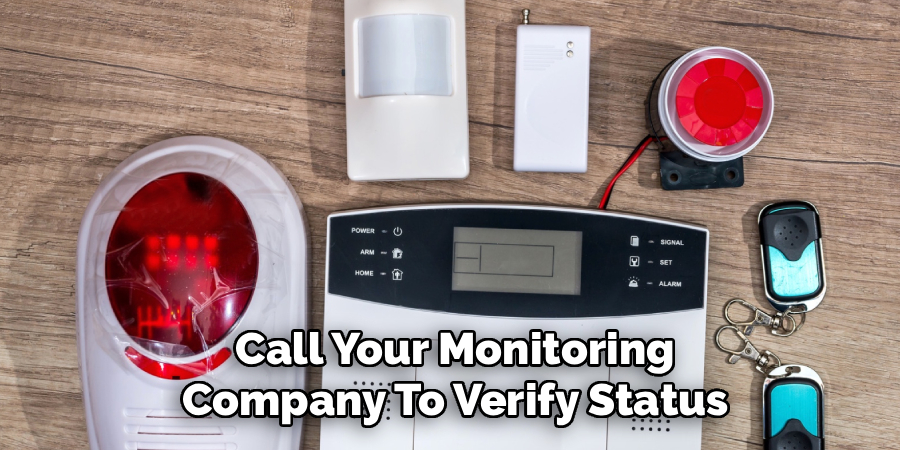
Step 9: Call Your Monitoring Company To Verify Status
Once the silence has returned, your next immediate step is communication. If you have a monitored service, they have likely already received a signal. You need to call them immediately to provide your verbal password and cancel any police dispatch. Tell them clearly that it was a false alarm and that you have the situation under control. This prevents emergency responders from showing up at your door, which saves resources and saves you from potential fines. Even if you think you cancelled it in time, a quick phone call is the safest bet. Ask them if the system shows a “restore” signal on their end. This confirms that your keypad actions successfully communicated with their servers. It closes the loop on the event and ensures your account is in good standing.
Step 10: Reset The System To “Ready” Mode
The final step is to normalize the system so it can be used again. After the siren is off and the monitoring center is notified, your keypad might still be blinking or showing “Alarm Memory.” To clear this, you typically need to arm and then immediately disarm the system. Enter your code, press “Stay” or “Away,” wait for the countdown to start, and then immediately enter your code and press “Off.” This cycle clears the temporary memory of the alarm event. Check that the “Ready” light is solid green (or whatever color indicates ready on your specific panel). Now your home is protected again, and the previous chaos is completely wiped from the system’s active logic. You have successfully managed the incident and restored order to your home security.
Frequently Asked Questions (FAQ)
What Should I Do If I Forgot My Alarm Code?
If you cannot remember your code during an alarm event, remain calm. First, check if you have a “duress” or emergency card saved in your wallet or phone. If you cannot find it, you will likely need to power down the system to stop the noise. Follow the steps to disconnect the battery and transformer. Once silent, contact your alarm installation company. They can often remotely reset the installer code or walk you through a hard reset procedure to program a new master code for you.
Can I Turn Off The Alarm From My Smartphone?
Yes, many modern security systems are integrated with mobile apps like Alarm.com, ADT Control, or Ring. If your system is connected to Wi-Fi or cellular data, you can open the app on your phone. You will usually see a large red “Disarm” icon on the home screen. Tapping this sends a signal remotely to your panel to silence the siren. This is often faster than running to the keypad, provided you have your phone handy and a stable internet connection.
Why Does My Alarm Keep Beeping After I Disarmed It?
Continuous beeping after disarming usually indicates a “trouble condition” rather than an active alarm. This could mean:
- A sensor usually on a door or window has a low battery.
- The system has lost connection to the phone line or Wi-Fi.
- There is a power failure in the house.
- The backup battery in the main panel is dead.
Check your keypad display; it will usually show a “Trouble” or yellow triangle icon. Pressing the “Status” or “*” button often displays the specific error code so you can fix it.
Will Unplugging The Panel Reset My Settings?
Unplugging the main transformer and disconnecting the battery will power down the system, but it usually does not erase your programming. Most modern alarm panels use non-volatile memory, meaning they retain codes, zone settings, and sensor data even without power. However, you will likely need to reset the date and time once you power it back up. In very rare cases with very old systems, a total power loss could reset it to factory defaults, but this is uncommon for residential equipment.
How Do I Prevent False Alarms In The Future?
Preventing false alarms involves regular maintenance and user education. You should:
- Change batteries in sensors every 3–5 years.
- Ensure all windows and doors fit tightly so wind does not rattle them.
- Keep motion detectors clean and free of cobwebs.
- Make sure all family members and pet sitters know the code and proper disarm procedures.
- Test your system monthly (after notifying your monitoring center) to ensure all contacts are working correctly and not sending jittery signals.
Conclusion
Handling a blaring security system requires a mix of quick thinking and calm execution. By understanding the location of your panel, the importance of your code, and the physical power sources of your unit, you can regain control of your environment in seconds. We have covered the standard keypad methods, how to check for open zones, and the manual power-down options for emergencies. Remember that regular maintenance and familiarizing yourself with these steps before an emergency happens is the best prevention. The next time the siren wails, you won’t need to panic because you will know exactly how to turn house alarm off and reset your home to safety. Take a moment today to locate your transformer and backup battery so you are prepared for anything.

About
Robert D is a distinguished figure in the world of Safety Systems and Risk Management, with a decade of expertise creating innovative and sustainable workplace solutions. His professional focus lies in merging traditional safety protocols with modern digital monitoring techniques, fostering environments that are both practical and hazard-conscious. As the lead author of SafetyRift, Robert delves into the art and science of risk mitigation, inspiring safety officers and industry professionals alike to bridge the gap between compliance and culture.
Education
RMIT University (Melbourne, Australia)
Associate Degree in Design (Industrial Safety)
-
Focus on sustainable safety infrastructure, industry-driven risk assessments, and practical implementation.
-
Gained hands-on experience with traditional hazard identification and digital monitoring tools, such as IoT safety sensors and predictive analytics software.
Nottingham Trent University (United Kingdom)
Bachelor’s in Occupational Health and Safety (Honors)
-
Specialized in systemic design with a focus on blending human behavior psychology with modern safety production techniques.
-
Participated in industry-wide projects, working with global logistics and manufacturing firms to gain real-world insights into large-scale safety deployments.
Publications and Impact
In SafetyRift, Robert shares his insights on safety design processes, protective materials, and strategies for efficient, accident-free production. His writing bridges the gap between foundational safety knowledge and modern industrial needs, making it a must-read for both budding safety coordinators and seasoned risk management professionals.
