
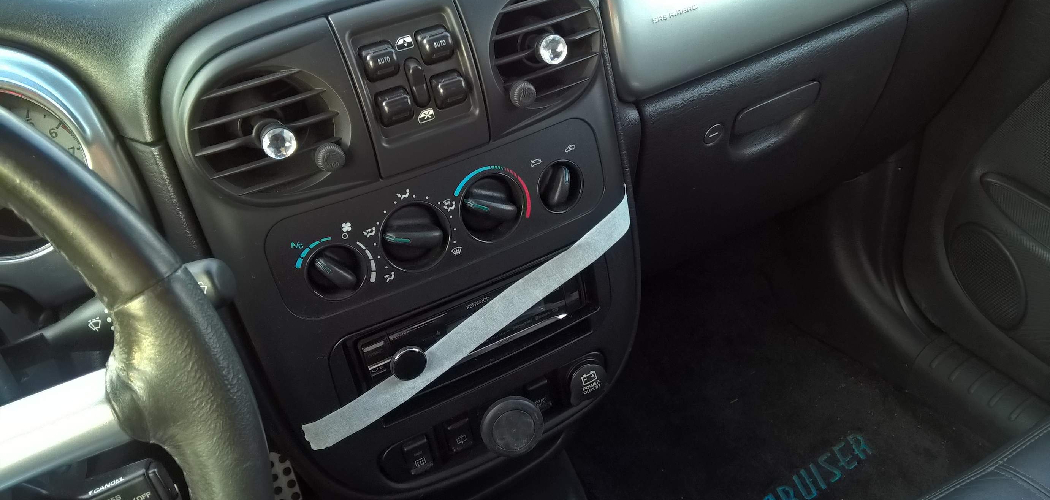
You turn the key, and nothing happens. The dashboard lights up with a little red car icon flashing at you. The engine won’t start, the alarm keeps chirping, and you’re already running late.
That sinking feeling in your chest? That’s the anti-theft system doing exactly what it was built to do — just at the worst possible moment.
Here’s the good news. Most of the time, your car isn’t broken. The anti-theft system has simply locked itself down, and you can reset it yourself in a few minutes.
In this guide, you’ll learn what you need, how to take off anti theft on cars step by step, and how to handle it by brand and scenario. You’ll also learn the mistakes that keep people stuck — and how to avoid them.
Let’s get your car moving again.
Why Your Car’s Anti-Theft System Activates
Before you fix it, you need to know why it triggered. That saves you from guessing.
Your car’s anti-theft system is a security lock built into the electronics. It cuts power to the fuel pump, starter, or ignition when it thinks something is wrong.
Most systems trip for one of these reasons:
- A weak or dead key fob battery the car can’t read
- A door or trunk forced open without the key or remote
- A disconnected car battery that reset the system
- A worn ignition key the sensor no longer recognizes
- A faulty sensor sending a false alarm
Notice the pattern. The system isn’t punishing you. It thinks a thief is at work, and it’s protecting your car the only way it knows how.
In short: Your anti-theft system locks down when it can’t confirm you’re the rightful owner.
What You’ll Need Before You Start
You don’t need a mechanic’s toolkit for most of this. But having the right items ready keeps you from stopping halfway.
Gather these first:
- Your original car key or key fob (not a spare, if possible)
- A fresh fob battery (usually a CR2032 coin cell)
- Your owner’s manual for your car’s exact reset steps
- A voltmeter or multimeter (optional, for battery checks)
- A small screwdriver to open the fob
- 10 to 20 minutes of patience
One warning before you touch anything.
Never disconnect your car battery unless you know your radio and security codes. Some older cars lock the stereo after a power loss, and you’ll need a code to unlock it.
In short: The right key, a fresh battery, and your manual solve most anti-theft lockouts.
Step-by-Step: How to Take Off Anti Theft on Cars
Different situations call for different fixes. Start with the simplest method and work down.
Method 1: The Key-in-Ignition Reset
This is the most common fix for older cars with a physical key.
- Insert your key into the driver’s side door lock — not the ignition.
- Turn the key to the unlock position and hold it there for 30 seconds.
- Keep holding. The system needs time to recognize the correct key.
- Release, then try starting the engine.
If the security light stops flashing, you’re done.
Method 2: The Key Fob Reset
Newer cars with push-button start rely on the fob. A weak signal often causes the lockout.

- Press the lock and unlock buttons on your fob at the same time.
- Hold for 5 to 10 seconds until the lights flash.
- If nothing happens, replace the fob battery and try again.
- Hold the fob directly against the start button and press start.
That last trick works because the car can read the fob’s chip up close, even with a dead battery.
Method 3: The Ignition-Cycle Reset
Some systems reset with a simple on-off cycle.
- Turn the key to the “On” position (dash lights up, engine off).
- Wait 10 to 15 minutes. Don’t rush this.
- Turn the key off and wait one full minute.
- Try starting the engine.
The waiting matters. The system needs that window to clear its lockout timer.
Method 4: The Battery Disconnect Reset
Use this only when nothing else works.
- Open the hood and find the negative (–) battery terminal.
- Loosen the nut and remove the cable.
- Wait 15 minutes for the system to fully power down.
- Reconnect the cable and tighten it.
- Start the car.
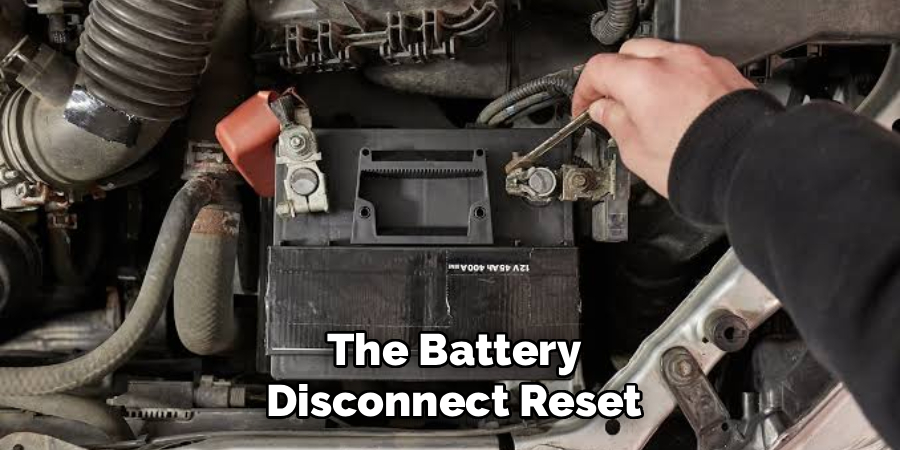
Warning: This clears your radio settings and may require a security code. Have that code ready before you start.
In short: Try the key and fob resets first — save the battery disconnect for last.
How to Take Off Anti Theft by Car Brand
Car makers program their systems differently. Here’s how the common ones behave.
Ford and Lincoln (PATS System)
Ford uses the Passive Anti-Theft System (PATS). When it trips, the “THEFT” light stays on.
Turn the key to “On” and wait 10 minutes until the light stops blinking. Then turn off, wait, and restart. If you added a new key, you may need two working keys to program it.
Toyota and Lexus (Immobilizer)
Toyota’s engine immobilizer flashes a key-shaped light. Insert the key, turn to “On,” and wait for the light to go solid or off. This usually takes 10 to 15 minutes before you can start.
Honda and Acura
Honda ties its system to the radio and key chip. After a battery change, you may need your radio security code to fully reset. Turn the key to “On,” wait, and re-enter the code if the stereo asks.
GM (Chevy, GMC, Buick)
GM’s Passlock system is known for false alarms. Turn the key to “On” and wait a full 10 minutes until the security light turns off. Then turn off for 5 seconds and start.
In short: Every brand uses a timed relearn — the trick is knowing how long to wait.
Comparison: Anti-Theft Reset Methods
Not every method fits every situation. Use this table to pick the right one fast.
| Method | Difficulty | Time Needed | Best For | Risk Level |
| Key-in-Door Reset | Easy | 30 seconds | Older cars with physical keys | Low |
| Key Fob Reset | Easy | 1–2 minutes | Push-button start cars | Low |
| Ignition-Cycle Reset | Easy | 10–15 minutes | False alarms, most brands | Low |
| Battery Disconnect | Medium | 15–20 minutes | Stubborn lockouts only | Medium |
| Dealer Reprogramming | Hard | Days | Lost keys, failed chips | Low cost risk, high dollar cost |
Start at the top and move down only if you have to. The lower-risk methods solve most problems.
In short: Match the method to your car and situation instead of jumping straight to the hardest fix.
Common Mistakes and Troubleshooting
You followed the steps, and your car still won’t start. That’s frustrating, and you’re probably wondering if you broke something.
You didn’t. You likely hit one of these snags.
Mistake 1: Rushing the Wait Time
Why it happens: People turn the key to “On” and try to start after 30 seconds instead of 10 minutes. The system’s timer hasn’t finished.
How to fix it: Set an actual timer for 10 to 15 minutes. Watch the security light. Only start the car once it stops blinking or goes solid.
Mistake 2: Using the Spare Key
Why it happens: A spare or aftermarket key sometimes has a weak or unprogrammed chip the immobilizer can’t read.
How to fix it: Use your original key first. If only the spare works, take both keys to a locksmith to reprogram the spare.
Mistake 3: Ignoring a Dying Key Fob Battery
Why it happens: A fob with 20% battery still unlocks doors but can’t send the full start signal. You think the fob is fine — it isn’t.
How to fix it: Replace the battery with a fresh CR2032. Then hold the fob against the start button to bypass the weak signal.
Mistake 4: Forgetting the Radio Security Code
Why it happens: Disconnecting the battery wipes the stereo memory. The radio then locks and demands a code you never wrote down.
How to fix it: Find the code in your owner’s manual, glovebox card, or by calling your dealer with your VIN. Enter it once, and the radio unlocks.
Mistake 5: Overlooking a Faulty Door Sensor
Why it happens: A worn or dirty door latch sensor tells the car a door is being forced open, so it re-arms the alarm again and again.
How to fix it: Clean the latch, spray it with electrical contact cleaner, and open-close the door firmly a few times. If the alarm keeps tripping, the sensor needs replacing.
Mistake 6: A Truly Dead Car Battery
Why it happens: A low main battery can’t power the security module properly, so the system stays locked no matter what you try.
How to fix it: Test the battery with a voltmeter. Below 12.4 volts means it’s weak. Charge or jump-start it, then run the reset again.
In short: Most failed resets come down to timing, a weak battery, or the wrong key — not a broken car.
Frequently Asked Questions
How do I reset my car’s anti-theft system without a key?
You’ll need some form of authorized access, so a fully keyless reset isn’t safe or reliable. If you’ve lost your key, hold your spare fob against the start button, or call a locksmith who can cut and program a new key using your VIN. There’s no honest shortcut around a car with no working key.
Why does my car’s anti-theft light keep flashing?
A blinking anti-theft light usually means the system is armed and waiting, not broken. It often points to a weak fob battery, a worn key, or a door sensor sending false signals. Try a fresh fob battery and an ignition-cycle reset first.
Can I disable the anti-theft system permanently?
You can, but you shouldn’t. Turning it off permanently strips your car of its main theft protection and can void insurance or resale value. If false alarms are the problem, fix the faulty sensor instead of killing the whole system.
How long does it take to reset a car anti-theft system?
Most resets take 10 to 15 minutes of waiting with the key in the “On” position. Simple key-in-door resets take about 30 seconds. A battery disconnect adds another 15 minutes, so plan for up to 20 minutes total.
Will disconnecting the battery reset the anti-theft system?
Often, yes. Removing the negative terminal for 15 minutes clears the security module and forces a full restart. Just remember it also wipes your radio settings, so have your security code ready before you disconnect anything.
Wrapping It Up
A locked-down car feels like an emergency. It rarely is.
You now know why your anti-theft system trips, what to gather before you start, and how to take off anti theft on cars using four proven reset methods. You’ve got brand-specific steps for Ford, Toyota, Honda, and GM, plus fixes for the mistakes that trap most people.
Start simple. Try the key and fob resets, give the system its full wait time, and only reach for the battery disconnect when nothing else works.
Next time that red icon flashes, you’ll know exactly what to do.
Want to keep your car secure without the headaches? Check out our guide on [choosing the right key fob and car security setup] next.

About
Robert D is a distinguished figure in the world of Safety Systems and Risk Management, with a decade of expertise creating innovative and sustainable workplace solutions. His professional focus lies in merging traditional safety protocols with modern digital monitoring techniques, fostering environments that are both practical and hazard-conscious. As the lead author of SafetyRift, Robert delves into the art and science of risk mitigation, inspiring safety officers and industry professionals alike to bridge the gap between compliance and culture.
Education
RMIT University (Melbourne, Australia)
Associate Degree in Design (Industrial Safety)
-
Focus on sustainable safety infrastructure, industry-driven risk assessments, and practical implementation.
-
Gained hands-on experience with traditional hazard identification and digital monitoring tools, such as IoT safety sensors and predictive analytics software.
Nottingham Trent University (United Kingdom)
Bachelor’s in Occupational Health and Safety (Honors)
-
Specialized in systemic design with a focus on blending human behavior psychology with modern safety production techniques.
-
Participated in industry-wide projects, working with global logistics and manufacturing firms to gain real-world insights into large-scale safety deployments.
Publications and Impact
In SafetyRift, Robert shares his insights on safety design processes, protective materials, and strategies for efficient, accident-free production. His writing bridges the gap between foundational safety knowledge and modern industrial needs, making it a must-read for both budding safety coordinators and seasoned risk management professionals.
