
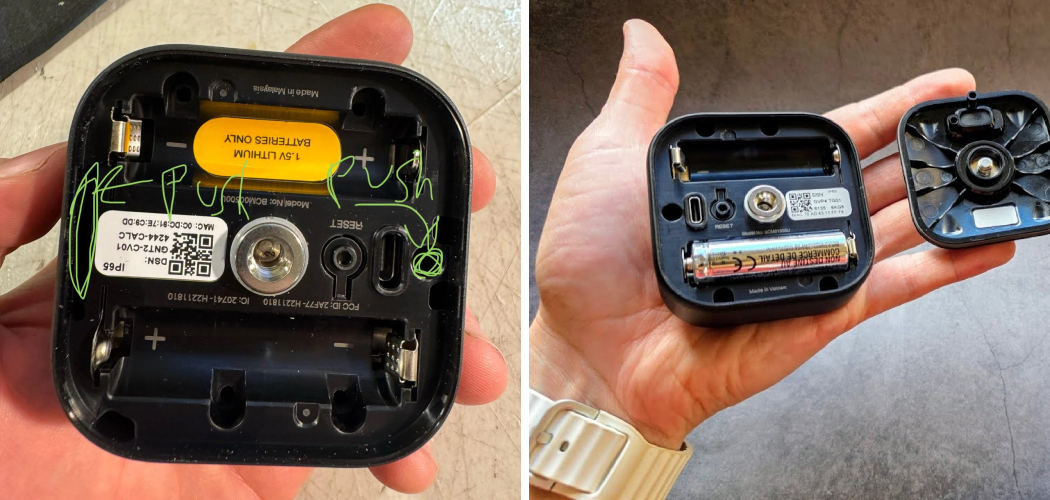
Your Blink camera just stopped recording. You climb the ladder, pull it off the mount, and now you’re staring at a smooth plastic shell with no obvious seam. There’s no screw. No latch. No button that says “open here.”
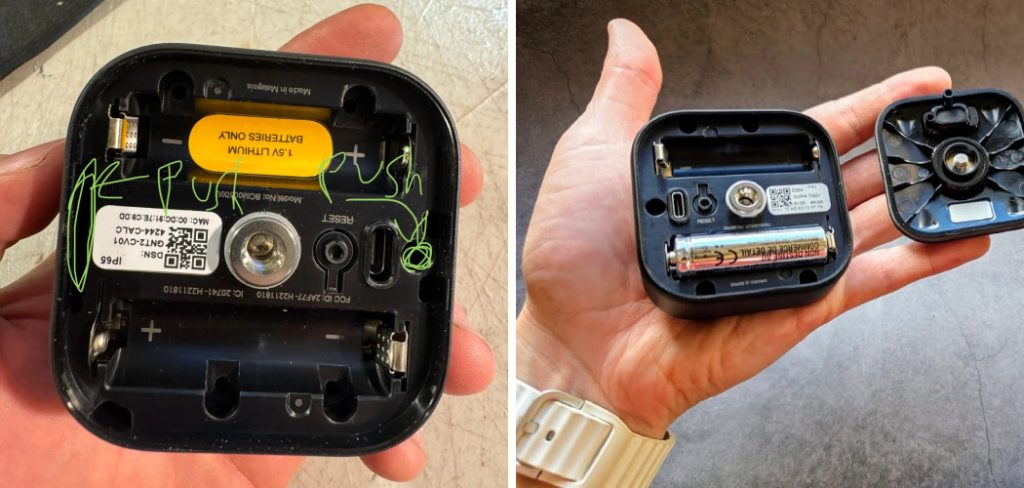
You just want to swap the batteries. Instead, you’re afraid of snapping the case in half.
That fear is normal. Blink cameras are sealed tight on purpose, and the way they open changes from model to model.
Here’s what this guide gives you. You’ll learn exactly what tools to grab, the step-by-step way to open each Blink model — Outdoor, Indoor, and Mini — and how to handle the ones that don’t open the way you’d expect. You’ll also learn the mistakes that crack cases and lose tiny parts, plus how to open blink camera.
Let’s get your camera open the right way.
What You’ll Need Before You Start
Opening a Blink camera takes almost nothing. But the wrong tool in a hurry cracks the case.
Gather these first:
- The plastic opening tool that came in your Blink box.
- A small flathead screwdriver, only if you’ve lost that tool.
- A guitar pick or plastic pry tool as a gentle backup.
- Fresh AA lithium batteries if you’re replacing them.
- A clean, flat surface so no small parts roll away.
- Your smartphone with the Blink app open.
One thing matters most: use plastic, not metal, whenever you can. A metal screwdriver slips and scratches the housing or gouges the seam.
Warning: Never force a Blink camera open with a knife. The blade slips toward your hand and cracks the plastic clips inside. Those clips hold the whole case together.
Before you open anything, check the app. If the camera still shows as online, you may only need a battery swap — not a full teardown.
In short: grab the plastic tool, fresh batteries, and a flat surface, and always pry with plastic instead of metal.
How Blink Cameras Open: The Basics
Not every Blink camera opens the same way. That’s the first thing to understand before you pry.
Some models split open at the back. Some slide apart. And one popular model — the Blink Mini — doesn’t open for batteries at all, because it’s plugged in.
Knowing your model saves you from prying at a seam that was never meant to move.
Why Blink Seals Its Cameras
Blink cameras sit outside in rain, heat, and cold. A tight seal keeps water out and batteries dry.
That seal is also why the case feels stubborn. It’s not broken. It’s doing its job.
Find Your Model First
Open the Blink app, tap your camera, and check the device info. The name tells you the exact model.
- Blink Outdoor and Indoor (3rd Gen) open from the back for battery access.
- Blink Mini and Mini 2 are wired and don’t open for batteries.
- Blink Video Doorbell opens for batteries with a bottom release.
In short: confirm your model in the app first, because how you open a Blink camera depends entirely on which one you own.
6 Step-by-Step: How to Open a Blink Outdoor or Indoor Camera
This is the most common Blink camera people need to open. Both the Outdoor and the Indoor (3rd Gen) work almost the same way, since they share the same battery design.
Follow these steps in order.
Step 1: Remove the Camera From Its Mount
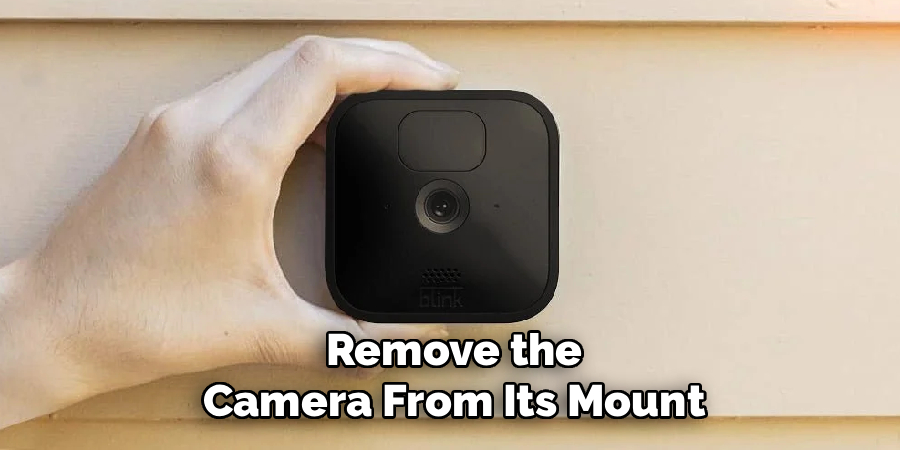
- Hold the camera body firmly in one hand.
- Twist or slide it off the mounting bracket.
- Set the mount aside so it doesn’t get in your way.
Some mounts twist, some clip. Don’t yank hard — it comes free with gentle pressure.
Step 2: Find the Seam at the Back
Flip the camera over and look at the back edge.
You’ll see a thin seam running around the case. Near the bottom, there’s a small notch or slot. That slot is where your opening tool goes.
Step 3: Insert the Opening Tool
- Slide the flat plastic tool into the notch at the back.
- Push it in until you feel it seat against the inner clip.
- Twist the tool gently, like turning a small key.
You’ll hear a soft click as the back panel releases.
Warning: If the panel resists hard, stop. You’re likely prying at the wrong spot. Re-check the notch location before pushing further.
Step 4: Lift the Back Panel
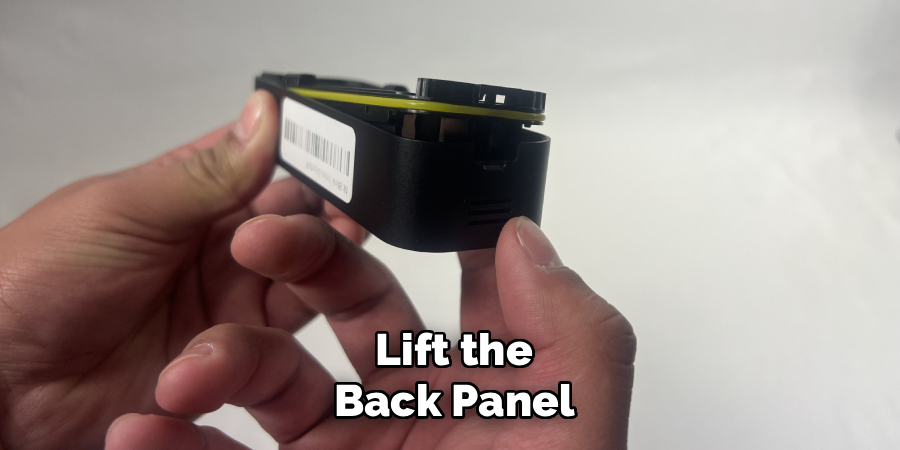
- Work the tool along the seam to release the remaining clips.
- Lift the back cover away slowly.
- Set it down face-up so the rubber gasket stays clean.
That gasket is the waterproof seal. Keep dirt off it.
Step 5: Swap the Batteries or Access the Inside
- Note how the two AA lithium batteries sit — the flat end and the raised end.
- Remove the old batteries.
- Drop in fresh ones, matching the direction exactly.
Step 6: Close It Back Up
- Line the back panel up with the case.
- Press around the edges until each clip snaps home.
- Check the app for the camera coming back online.
A firm, even press seals the gasket again and keeps water out.
In short: twist off the mount, find the back notch, pry gently with the plastic tool, then press the panel until every clip clicks.
How to Open a Blink Video Doorbell
The Blink Video Doorbell opens a little differently, but it’s just as simple once you know where to look.
Step 1: Release From the Wall Plate
- Find the small release slot at the bottom of the doorbell.
- Insert the plastic tool or the included pin.
- Press in and lift the doorbell up and off its wall plate.
Step 2: Open the Battery Compartment
- On the back, locate the battery door.
- Slide or lift it based on your unit.
- Replace both AA lithium batteries, matching the diagram inside.
Step 3: Reattach Securely
- Set the doorbell back on the wall plate.
- Press until it clicks flush.
- Test the button and the live view in the app.
In short: press the bottom release, open the back battery door, swap the batteries, and click it back onto the plate.
What About the Blink Mini? (The One That Doesn’t Open)
Here’s where a lot of people get stuck. They try to open a Blink Mini to change the batteries — and there are none.
The Blink Mini and Mini 2 are wired cameras. They run on a USB power cable, not batteries. So there’s no battery door and no reason to pry the case.
If your Mini stopped working, the fix isn’t opening it. The fix is checking these:
- The USB cable is fully plugged in at both ends.
- The power adapter works in that outlet.
- The camera shows as online in the app.
Trying to force a Mini open only cracks the shell. The case is sealed and holds no user-serviceable parts.
In short: don’t open a Blink Mini for batteries — it’s wired, so check the cable and power instead.
Blink Camera Models Compared: How Each One Opens
Different Blink models open in different ways. This table helps you match your camera to the right method before you touch it.
| Blink Model | Power Source | How It Opens | Best For |
| Blink Outdoor | 2 AA lithium | Back panel, pry at notch | Battery swaps outdoors |
| Blink Indoor (3rd Gen) | 2 AA lithium | Back panel, pry at notch | Easy indoor battery access |
| Blink Video Doorbell | 2 AA lithium | Bottom release + battery door | Front-door battery changes |
| Blink Mini | USB cable (wired) | Does not open for batteries | Always-on indoor spots |
| Blink Mini 2 | USB cable (wired) | Does not open for batteries | Wired indoor or covered outdoor |
The pattern is clear. Battery-powered Blink cameras open at a seam. Wired ones don’t open at all.
In short: if your model runs on AA batteries, it opens; if it runs on USB, leave the case shut.
Common Mistakes and Troubleshooting
Opening a Blink camera looks simple until something goes wrong on the ladder. Here are the mistakes that trip people up, why they happen, and exactly how to fix each one.
Mistake 1: Prying With a Metal Tool
You grab a knife or metal screwdriver, and it slips and scratches the case.
Why it happens: Metal is stiff and sharp. When it slips, it gouges plastic or your hand.
The fix: Use the plastic opening tool from the box. Lost it? A guitar pick or a plastic pry tool works. Metal should be your last resort — and only a small flathead used gently.
Mistake 2: Prying at the Wrong Seam
You push hard on the front seam and nothing moves.
Why it happens: The camera only opens at one specific notch, usually near the back bottom edge. The other seams are sealed.
The fix: Flip the camera over and find the small slot. Insert the tool there and twist. If it resists everywhere, you’ve got the wrong spot — stop and look again.
Mistake 3: Trying to Open a Wired Mini
You spend ten minutes prying a Blink Mini that was never meant to open.
Why it happens: People assume every Blink camera runs on batteries. The Mini doesn’t.
The fix: Check your model in the app first. If it’s a Mini or Mini 2, put the tool down and troubleshoot the USB power instead.
Mistake 4: Installing Batteries Backward
You close the case, and the camera stays dead.
Why it happens: In a rush, the flat and raised battery ends get flipped.
The fix: Match each battery to the small + and − diagram inside the compartment. Both AA lithium batteries must face the right way for the camera to power on.
Mistake 5: Dirtying or Bending the Gasket
Water gets inside weeks after you close it up.
Why it happens: The rubber gasket got dusty, twisted, or pinched during closing.
The fix: Wipe the gasket clean before you seal the case. Make sure it sits flat in its channel. A pinched gasket lets rain in and ruins the camera.
Mistake 6: Not Snapping Every Clip
The back panel pops loose a few days later.
Why it happens: Only some clips got pressed, so the panel sits half-closed.
The fix: Press firmly around the entire edge until you hear each clip click. Give it a gentle tug to confirm it’s fully sealed.
Frequently Asked Questions
How do I open my Blink Outdoor camera to change the batteries?
Twist the camera off its mount, then flip it over and find the small notch at the back bottom edge. Insert the plastic opening tool, twist gently, and lift off the back panel. Swap in two fresh AA lithium batteries and press the panel back until it clicks.
Can I open a Blink camera without the special tool?
Yes. A guitar pick, a plastic pry tool, or a small flathead screwdriver all work in a pinch. Just favor plastic over metal, since metal slips and scratches the case or cracks the inner clips.
Why won’t my Blink Mini open?
Because it’s not meant to. The Blink Mini is a wired camera that runs on a USB cable, so it has no battery door and no user-serviceable parts. If it stopped working, check the cable and power adapter instead of prying the case.
What batteries does a Blink camera use?
Most battery-powered Blink cameras use two AA lithium batteries — not alkaline. Lithium batteries last far longer and handle cold weather better. Match each one to the + and − diagram inside the compartment.
How do I keep water out after opening my Blink Outdoor camera?
Wipe the rubber gasket clean and make sure it sits flat before closing. Then press firmly around the whole edge until every clip snaps shut. A clean, seated gasket and fully closed clips keep rain out.
Wrapping Up
Opening a Blink camera doesn’t have to feel like a gamble. As you’ve seen, it comes down to a few clear moves: know your model, pry at the right notch with a plastic tool, swap the batteries the right way, and seal every clip before you close up.
You’ve learned how to open the Blink Outdoor, Indoor, and Video Doorbell, why the Mini stays shut, and how to sidestep the mistakes that crack cases and let water in.
The key takeaway is simple: know your model, pry gently, seal fully.
Your camera’s ready to open with confidence. Go make that swap.
Want to fine-tune your setup next? Check out our guide on [related topic: extending Blink camera battery life].

About
Robert D is a distinguished figure in the world of Safety Systems and Risk Management, with a decade of expertise creating innovative and sustainable workplace solutions. His professional focus lies in merging traditional safety protocols with modern digital monitoring techniques, fostering environments that are both practical and hazard-conscious. As the lead author of SafetyRift, Robert delves into the art and science of risk mitigation, inspiring safety officers and industry professionals alike to bridge the gap between compliance and culture.
Education
RMIT University (Melbourne, Australia)
Associate Degree in Design (Industrial Safety)
-
Focus on sustainable safety infrastructure, industry-driven risk assessments, and practical implementation.
-
Gained hands-on experience with traditional hazard identification and digital monitoring tools, such as IoT safety sensors and predictive analytics software.
Nottingham Trent University (United Kingdom)
Bachelor’s in Occupational Health and Safety (Honors)
-
Specialized in systemic design with a focus on blending human behavior psychology with modern safety production techniques.
-
Participated in industry-wide projects, working with global logistics and manufacturing firms to gain real-world insights into large-scale safety deployments.
Publications and Impact
In SafetyRift, Robert shares his insights on safety design processes, protective materials, and strategies for efficient, accident-free production. His writing bridges the gap between foundational safety knowledge and modern industrial needs, making it a must-read for both budding safety coordinators and seasoned risk management professionals.
