
To turn off the alarm on your Eufy camera, open the Eufy Security app, select your specific camera or HomeBase, navigate to the “Security” tab, and change the active mode to “Disarmed” to immediately silence the siren. If you want to disable the siren permanently for specific motion events, go to the camera’s individual settings, select “Motion Detection” or “Automation,” and uncheck the camera alarm option.
The most common reason a camera alarm sounds unexpectedly is that the motion sensitivity is set too high, causing the system to react to harmless triggers like swaying branches, heavy rain, or passing pets. Understanding how to manage your device ensures your home remains secure without causing unnecessary disruptions to your household or neighbors.
What the Issue Means and Why It Happens
When your Eufy camera alarm activates, the device has detected an event that matches the criteria set in your current security mode. Eufy cameras use a combination of passive infrared (PIR) sensors and pixel-based motion tracking to identify activity.
If the alarm triggers when there is no actual threat, it usually means one of three things:
- High Sensitivity Settings: The camera is picking up minor movements.
- Incorrect Security Mode: The system is set to “Away” mode while you are at home, meaning any standard motion will trigger the loud siren.
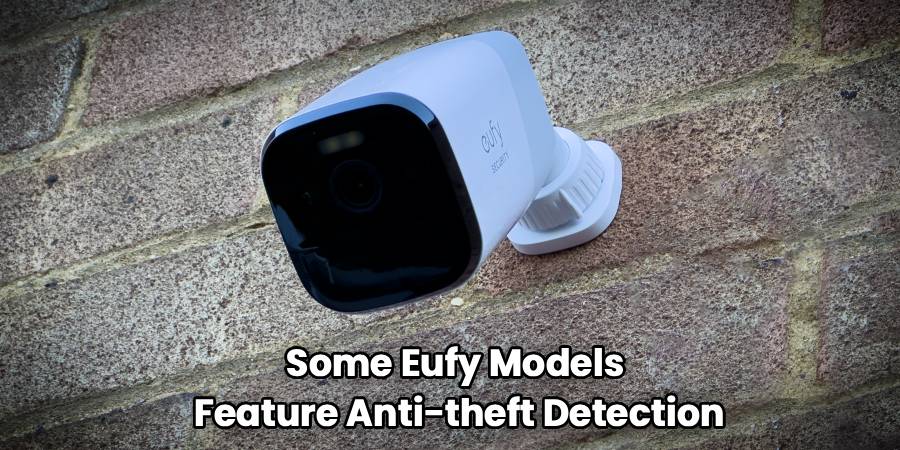
- Anti-Theft Triggers: Some Eufy models feature anti-theft detection. If the camera is bumped, moved, or loses its mounting contact, it assumes someone is trying to steal it and sounds a continuous alarm.
Adjusting your Eufy security alarm settings prevents these false alarms while keeping your property monitored.
Tools and Materials Needed
You do not need specialized technical equipment to resolve this issue. Gather the following items before you begin:
- Your smartphone or tablet with the Eufy Security app installed.
- Your Eufy account login credentials (if you are signed out).
- A stable Wi-Fi or cellular data connection.
- A sturdy, fiberglass step ladder (only if you need to physically inspect or reset a mounted camera).
Step-by-Step Instructions: How to Turn Off Alarm on Eufy Camera
Start with the safest and simplest check. Always attempt to resolve the issue through the mobile app before physically interacting with the camera.
Step 1: Silence the Active Alarm Immediately
If the alarm is currently blaring, your first priority is to silence it.
- Open the Eufy Security app on your smartphone.
- Tap on the “Security” tab located at the bottom of the screen.
- Select your HomeBase or the specific standalone camera that is alarming.
- Tap the “Disarmed” mode. This instantly tells the system to stop monitoring for triggers, which will disable Eufy camera siren noises immediately.
Step 2: Adjust Routine Security Alarm Settings
To prevent the alarm from going off during normal daily activities, you need to adjust your mode settings.
- Stay in the “Security” tab of the app.
- Select your HomeBase or camera.
- Tap the gear icon next to your preferred active mode (usually “Home” or “Away”).
- Review the list of devices connected to this mode.
- Uncheck the “Camera Alarm” or “HomeBase Alarm” boxes for any device you want to remain silent when it detects motion.
- Save your settings. The camera will still record video and send push notifications to your phone, but it will not sound the physical siren.
Step 3: Turn Off Eufy Anti-Theft Detection
If you are planning to take down your camera to charge the battery or clean the lens, you must disable the anti-theft feature first. Otherwise, the camera will sound an alarm the moment you loosen the mount.
- Open the Eufy app and go to the “Devices” tab.
- Select the specific camera you plan to move.
- Tap the gear icon to open the camera settings.
- Scroll down and select “Anti-Theft Detection.”
- Toggle the switch to the “Off” position.
- You can now safely unmount the camera. Remember to turn this setting back on once the camera is securely remounted.
Common Mistakes and Troubleshooting
If this does not work, try the next step. Sometimes, adjusting the settings in the app does not immediately silence the device.
Mistake: Ignoring HomeBase Settings
Many users adjust the settings on their individual cameras but forget that the HomeBase acts as the central hub. If your HomeBase is set to alarm upon any camera detecting motion, silencing the camera itself will not stop the HomeBase from sounding. Ensure you check the automation settings for both the camera and the hub.
Mistake: App Connectivity Issues
If you change the setting to “Disarmed” but the siren continues, your phone may not be communicating with the camera. Ensure your smartphone has a strong Wi-Fi or cellular connection. If the app is frozen, force-close it and reopen it.
Troubleshooting: Performing a Manual Reset
If a software glitch causes the alarm to sound continuously despite being disarmed in the app, you may need to physically reset the device. Press and hold the “Sync” button on the camera for 10 seconds until you hear a beep. This forces the camera to reboot.
Safety Warnings and When Not to DIY
Before you begin, make sure you assess the physical location of your camera. While adjusting app settings is completely safe, physically interacting with exterior cameras introduces potential hazards.
- Ladder Safety: If your camera is mounted high on a wall or under a roof eaves, you will need a ladder to reach it. Always place the ladder on firm, level ground. Have a second person hold the base of the ladder for stability. Never stand on the top rung.
- Electrical Hazards: Most Eufy cameras are battery-powered, which are safe to handle. However, if you are using a Eufy wired floodlight camera, it is connected to your home’s high-voltage electrical system. For safety, turn off power at your home’s main circuit breaker before touching any exposed wires, attempting to unmount the housing, or performing maintenance near the electrical box.
- Battery Safety: Do not attempt to force open the casing of a battery-powered camera if it is damaged, swollen, or leaking. Lithium-ion batteries can pose a fire risk if punctured.
If a task could be risky, clearly tell yourself to stop and contact a qualified professional. Do not take unnecessary risks to silence a security device.
When to Call a Professional
While Eufy systems are designed for simple user management, certain situations require expert help. Call a professional if:
- Your wired Eufy floodlight camera has exposed, frayed, or damaged electrical wires.
- The camera is mounted in a location that you cannot safely reach with a standard step ladder.
- You suspect a power surge has damaged your home’s electrical wiring, causing the hardwired camera to malfunction.
- The physical mounting hardware has degraded, and the camera is at risk of falling on a walkway or entrance.
A licensed electrician or professional security installer has the tools and training to handle these issues safely.
Frequently Asked Questions
How do I quickly disable the Eufy camera siren?
Open the Eufy Security app, navigate to the “Security” tab, select your system, and change the active mode to “Disarmed.” This will immediately stop the siren.
Why does my Eufy camera alarm go off when I take it down to charge?
This happens because the Anti-Theft Detection feature is turned on. To prevent this, go to your camera settings in the app and turn off Eufy anti-theft detection before unmounting the device.
Can I have notifications on but the alarm off?
Yes. In the “Security” tab, tap the gear icon next to your active mode (like “Home” or “Away”). You can check the box for “Push Notification” and uncheck the box for “Camera Alarm.”
What triggers the Eufy alarm?
The alarm is triggered by motion detection or by the anti-theft sensor being moved. The exact triggers depend on the parameters you set in your active security mode.
Will resetting the camera delete my recorded videos?
Pressing the sync button to restart the camera will not delete your local footage stored on the HomeBase or SD card. However, removing the device entirely from the app will delete its associated data.
Practical Next Steps
Managing your home security system should bring peace of mind, not frustration. Now that you know how to turn off the alarm on your Eufy camera, take a few minutes to review your motion sensitivity and security mode settings. Testing these configurations during the day will help you find the right balance between staying alerted to real activity and keeping your home quiet. If you ever need to perform physical maintenance on a hardwired unit, remember to prioritize your safety by shutting off the power first.

