
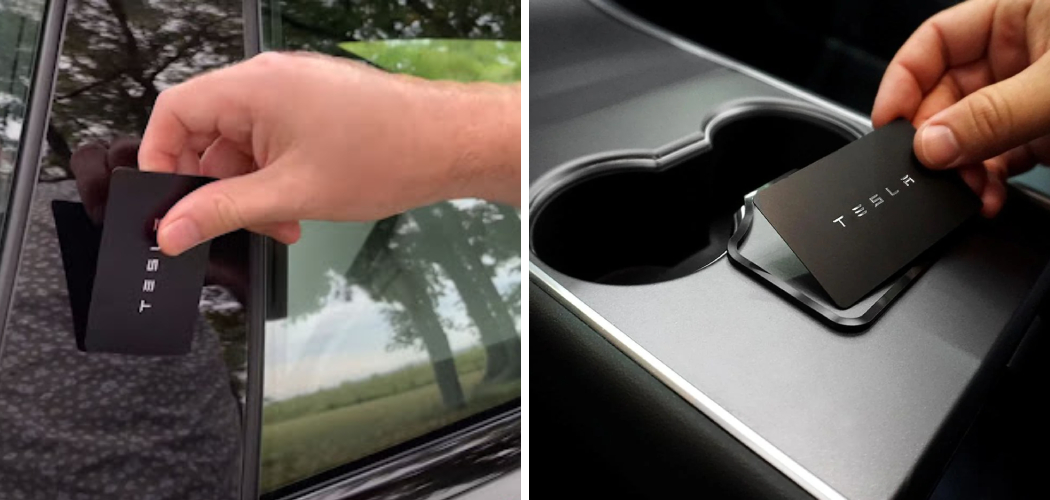
Welcome to the future of driving, where traditional metal keys are a thing of the past and your vehicle feels more like a spaceship than a car. For many new owners, the transition to a completely digital entry system can feel both exciting and slightly overwhelming. While the phone key feature is undeniably convenient, technology isn’t always perfect, and phone batteries do die at the most inconvenient moments. That is why understanding the manual backup methods provided by the manufacturer is absolutely crucial for your peace of mind and vehicle security.
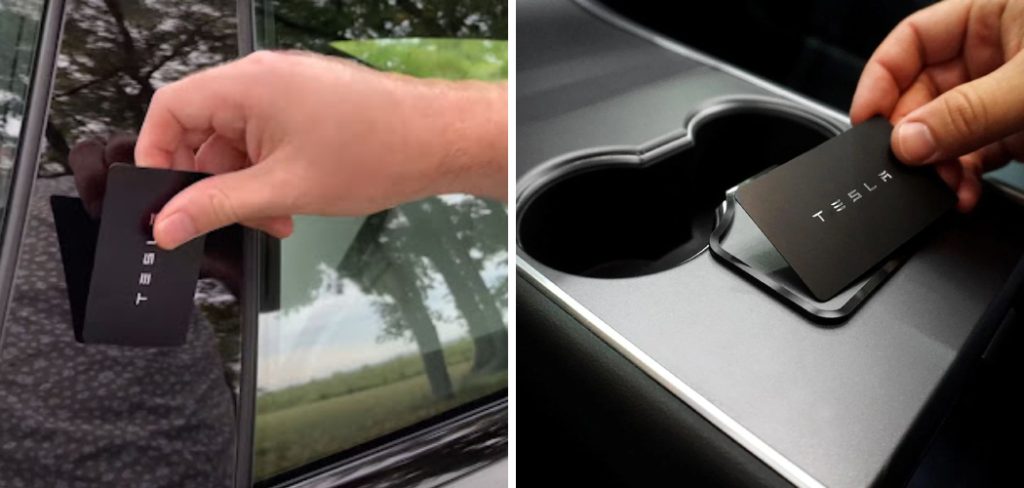
One of the most essential skills you need to master immediately is how to lock Tesla with key card. This credit-card-sized device is your ultimate fail-safe, ensuring you can secure your vehicle even if your smartphone is lost, dead, or experiencing Bluetooth connectivity issues. In this guide, we will walk you through the simple process of securing your vehicle manually so you never have to worry about leaving your car unprotected.
Why Mastering the Key Card is Essential
You might be wondering why you need to worry about a manual locking process when your car is designed to lock automatically as you walk away. While the “Walk-Away Door Lock” feature is fantastic, there are specific scenarios where it simply will not work or isn’t the safest option. For instance, if you rely solely on your phone and its battery dies while you are out shopping, you need a reliable way to secure your vehicle before heading into a store to find a charger.
Furthermore, there are situations where you might want to leave your phone inside the car, perhaps while going for a swim or a run, or you might be handing your vehicle over to a valet who doesn’t have the Tesla app. In these moments, the RFID key card becomes your primary tool for security. Understanding the mechanics of the card ensures that you remain in total control of your vehicle’s security status, regardless of the technological hiccups that might occur with your mobile device or Bluetooth connection.
7 Step Methods Guide on How to Lock Tesla With Key Card
Step 1: Identify the Driver’s Side B-Pillar
The first thing you need to do is locate the correct sensor area on your vehicle, as the entire car does not respond to the key card. The sensor is seamlessly integrated into the B-pillar, which is the vertical post separating the front and rear windows on the driver’s side of the car. If you look closely at the black glass-like surface of this pillar, specifically below the autopilot camera housing, you are looking at the right spot.
It is important to familiarize yourself with this specific location because aiming too high near the camera or too low on the door panel will result in the car failing to recognize the card. For new owners, this specific sweet spot can be tricky to find at night, so take a moment during the day to memorize exactly where the B-pillar is located relative to your shoulder height.
Step 2: Prepare Your Key Card for Use
Once you are standing next to the driver’s side door, you need to have your key card ready in your hand. Unlike a traditional key fob that works from inside a pocket or purse, this card uses RFID (Radio Frequency Identification) technology that requires very close proximity to the reader to function correctly. You should remove the card from any thick wallets, cardholders with RFID blocking technology, or heavy protective sleeves that might interfere with the signal transmission.
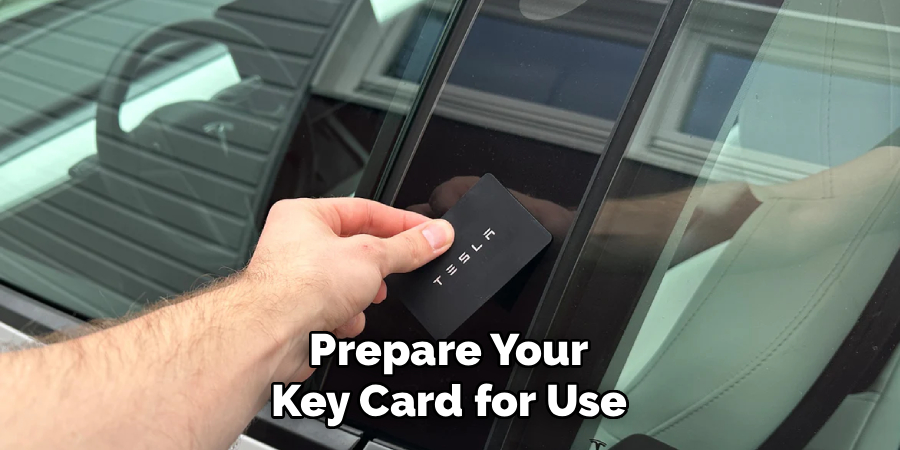
Hold the card plainly in your hand, ensuring your fingers are not covering the internal chip area completely, although holding the edges is perfectly fine. The goal here is to present a clean, unobstructed signal to the car’s receiver. If you are wearing thick winter gloves, it is often best to remove them to ensure you can position the card flat against the surface without fumbling or dropping it on the pavement.
Step 3: Position the Card Against the Sensor
With the card in hand and the B-pillar identified, you must now place the card directly against the pillar’s surface. You do not need to press hard or use force; a gentle touch is sufficient for the reader to detect the chip. Position the card so that the center of the card aligns roughly with the area just below the camera lens on the pillar.
You should hold the card there for a brief moment, usually about one to two seconds, rather than swiping it quickly like a credit card at a grocery store terminal. The system needs that split second of contact to energize the chip in the card and validate the security code. Learning how to lock Tesla with key card effectively is mostly about this specific positioning and patience, ensuring the car has enough time to read the unique digital signature embedded within the plastic card.
Step 4: Watch for the Visual Confirmation
After you have held the card against the B-pillar, your primary feedback will be visual, and you must train yourself to look for these specific signals immediately. As soon as the system accepts the lock command, the exterior turn signal lights will flash once. More importantly, if your vehicle is equipped with power-folding mirrors and the setting is enabled, you will see the side mirrors automatically fold inward against the car body.
This mirror movement is the most reliable visual indicator that the car is secure. If the mirrors do not fold or the lights do not flash, the car has not locked, and you need to repeat the previous step. Do not simply tap the card and walk away without looking back; always verify these visual cues to ensure the command was received and executed by the vehicle’s onboard computer.
Step 5: Listen for the Audio Verification
In addition to the visual signals of flashing lights and folding mirrors, your vehicle is designed to provide an auditory confirmation that it is locked. Depending on your specific settings in the “Locks” menu on the touchscreen, the car should emit a short, distinct horn honk or a digital chime sound. This sound is particularly useful in bright daylight when the flashing lights might be hard to see or if you are in a rush and looking away.
If you do not hear this sound, check your settings to ensure “Lock Confirmation Sound” is toggled on. Listening for this cue becomes second nature over time, acting as a reassuring “beep” that tells you your valuables are safe. Relying on both sight and sound creates a double-check system that virtually eliminates the risk of leaving your car unlocked.
Step 6: Verify the Physical Door Handle
For those who want absolute certainty that the vehicle is secure, performing a physical check of the door handle is the final step. However, this step requires a specific technique because if you have your phone key in your pocket, grabbing the handle will simply unlock the car again. To test the lock status properly, ensure your phone’s Bluetooth is off, or place your phone at a distance away from the car.
Once the phone is disconnected, gently pull on the door handle. It should remain rigid and not open the door. This physical confirmation proves that the mechanism has engaged. When learning how to lock Tesla with key card, this manual check is a great way to build confidence in the system, proving to yourself that the RFID signal successfully triggered the locking bolts.
Step 7: Safely Store Your Key Card
After you have successfully locked the vehicle, the final part of the process is securing the key card itself. Since this card grants full access to your car, treating it with the same care as a master key or a credit card is vital. Do not leave it sitting on the roof of the car or loosely in a shallow pocket where it could fall out as you walk away. Ideally, it should go immediately back into your wallet or a dedicated cardholder.
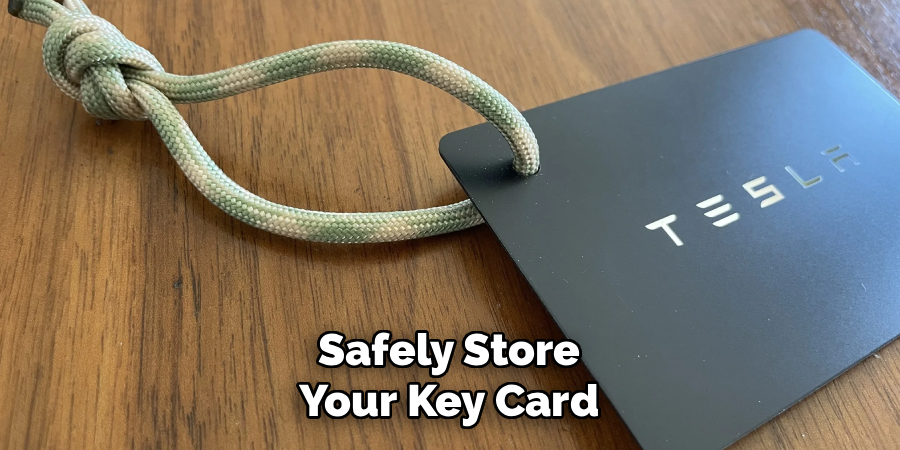
Remember that unlike the phone key, the card does not track your location, so if you lose it, you cannot “ping” it to find it. Developing a habit of immediately returning the card to a secure spot after locking the car prevents the panic of lost keys and ensures you always have your backup entry method ready for the next time you need it.
Frequently Asked Questions
Does The Key Card Have A Battery?
No, the key card does not have an internal battery that needs charging or replacing. It uses Radio Frequency Identification (RFID) technology, which is passive. This means the card is powered briefly by the electromagnetic field generated by the car’s sensor when you hold it close to the B-pillar. Because there is no battery to die, the key card is completely waterproof and extremely durable, making it the perfect reliable backup for when your phone battery fails.
Where Exactly Is The Card Reader Located?
The card reader is located inside the B-pillar on the driver’s side of the vehicle. The B-pillar is the black post that separates the front driver’s window from the rear passenger’s window. specifically, the sensor is positioned just below the autopilot camera housing on that pillar. You do not need to touch the card to the door handle or the window glass; the sweet spot is on the solid beam between the glass panes.
Will The Car Lock Automatically If I Walk Away With The Card?
No, the “Walk-Away Door Lock” feature typically only works with the phone key or a key fob, not the key card. If you are using the key card as your primary method of access, you must manually touch the card to the B-pillar to lock the vehicle every time you leave. Do not assume the car will lock itself if you are only carrying the card; you must physically tap it to secure the doors.
Can I Lock My Key Card Inside The Car?
Yes, it is possible to lock your key card inside the vehicle if you are not careful. Since the card is passive, the car does not always “know” the card is inside in the same way it detects an active phone key. If you use a second card or the app to lock the doors while a card is sitting on the console, it will be locked inside. Always ensure you have the card in your hand or wallet before securing the vehicle.
What Should I Do If The Car Does Not Respond To The Card?
If the car doesn’t lock when you tap the card, first ensure you are holding it against the correct spot on the driver’s side B-pillar. Try holding it there for a second or two longer rather than a quick tap. Check that the card isn’t damaged or bent. If it still fails, try using the other side of the card or removing it from any card holder. If issues persist, you may need to remove and re-pair the key card via the touchscreen menu.
Conclusion
Securing your vehicle should never be a source of stress, and having multiple ways to access and lock your car is one of the best features of modern electric vehicle ownership. While the phone key offers unparalleled convenience, the key card stands as a robust, battery-free backup that ensures you are never stranded or left with an unsecured vehicle. It is a simple, effective tool that every owner should be comfortable using.
By following the steps outlined above, you can confidently navigate situations where technology fails or when you simply prefer a manual touch. Remember to look for the folding mirrors and listen for the chime to confirm your car is safe. We hope this guide motivates you to practice how to lock Tesla with key card today so that you are fully prepared for any situation the road throws your way.

About
Robert D is a distinguished figure in the world of Safety Systems and Risk Management, with a decade of expertise creating innovative and sustainable workplace solutions. His professional focus lies in merging traditional safety protocols with modern digital monitoring techniques, fostering environments that are both practical and hazard-conscious. As the lead author of SafetyRift, Robert delves into the art and science of risk mitigation, inspiring safety officers and industry professionals alike to bridge the gap between compliance and culture.
Education
RMIT University (Melbourne, Australia)
Associate Degree in Design (Industrial Safety)
-
Focus on sustainable safety infrastructure, industry-driven risk assessments, and practical implementation.
-
Gained hands-on experience with traditional hazard identification and digital monitoring tools, such as IoT safety sensors and predictive analytics software.
Nottingham Trent University (United Kingdom)
Bachelor’s in Occupational Health and Safety (Honors)
-
Specialized in systemic design with a focus on blending human behavior psychology with modern safety production techniques.
-
Participated in industry-wide projects, working with global logistics and manufacturing firms to gain real-world insights into large-scale safety deployments.
Publications and Impact
In SafetyRift, Robert shares his insights on safety design processes, protective materials, and strategies for efficient, accident-free production. His writing bridges the gap between foundational safety knowledge and modern industrial needs, making it a must-read for both budding safety coordinators and seasoned risk management professionals.
